


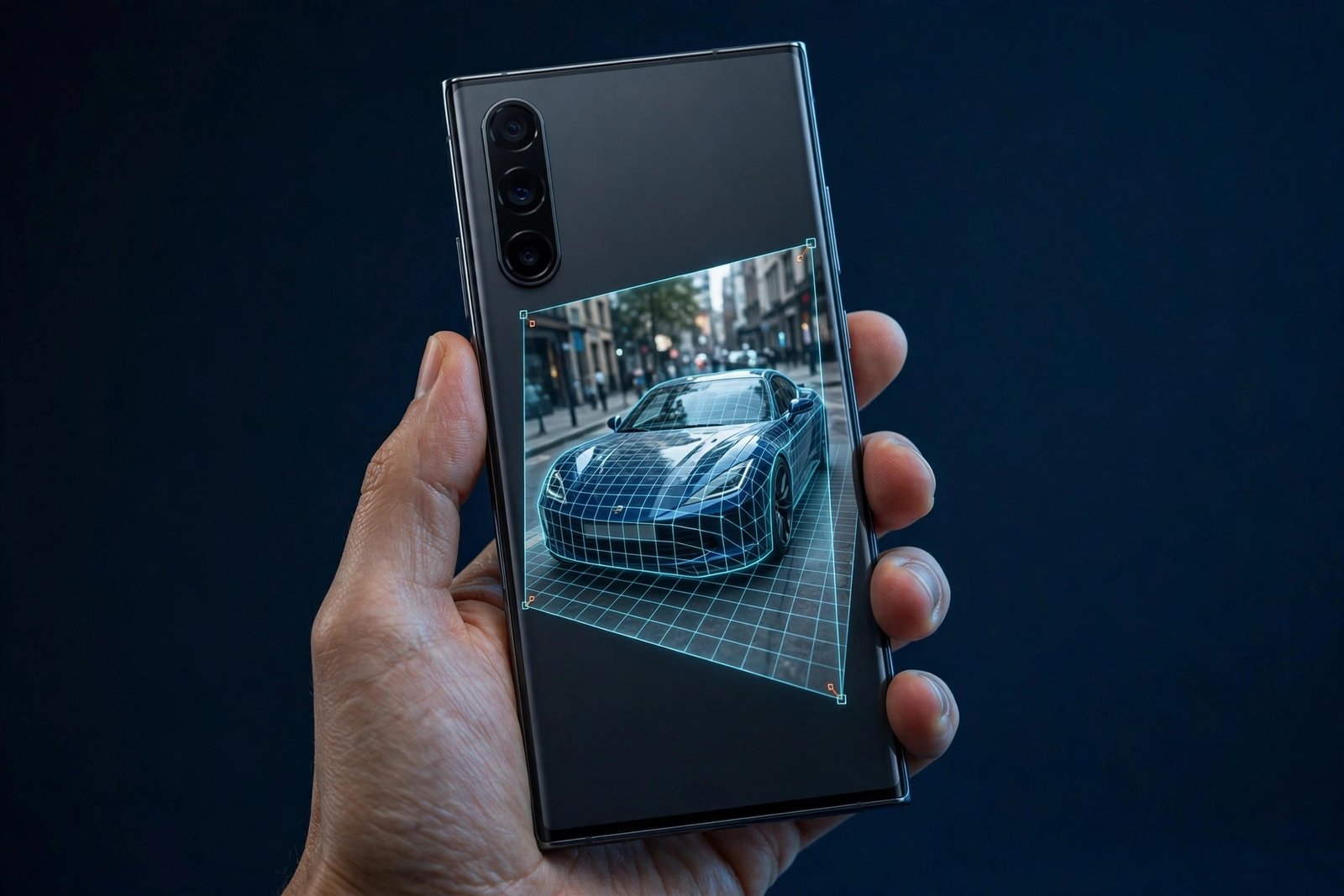
Samsung is building a Galaxy AI tool that lets you change the angle of a photo after you have already taken it. The feature is called Recompose, and it has been found hidden inside the One UI 9.5 beta. Instead of cropping or straightening a shot, Recompose rebuilds the scene in 3D and lets you drag it to a new perspective, with generative AI filling in the parts of the image your camera never captured.
The discovery comes from an APK teardown by Android Authority, published on November 26, 2026, and SamMobile has since got the tool working on a Galaxy S26 Ultra running the One UI 9.5 beta, publishing a video demo the same week. The Verge picked the story up on November 28. Samsung has not officially announced Recompose, and it does not work for beta testers yet, but the code and the demo together give a clear picture of what Samsung is planning for the Galaxy S27.
What Recompose does
Recompose lives inside Samsung’s Photo Editor app, in Photo Assist, the Galaxy AI editing suite in the Gallery app. It sits within the existing Move tool, which today only lets you straighten a photo on the Galaxy S26 Ultra. On phones that support Recompose, the Move tool gains a switch to toggle between Move and Recompose, plus a reset button to undo the new angle.
The interaction is built around touch gestures. Dragging the photo with one finger changes its perspective, while two fingers pan, zoom and rotate it. A dolly-zoom slider lets you push the background closer or farther away, the classic camera trick from films where the subject stays the same size while the world behind it stretches or compresses. Gridlines appear as you adjust the shot to help you compose the new angle.
The idea is simple to describe and hard to do well. A photo taken from the side of a car, for example, can be re-angled so the car appears more front-facing. SamMobile’s demo does exactly that, dragging a side-on car photo into a three-quarter view. The appeal is obvious for anyone who has taken a good photo from a slightly wrong position: a landmark shot from too low, a portrait taken a step too far to the left, or a product photo that needs a cleaner angle.

How it works under the hood
Recompose works in two stages, and the split between them matters for how the feature will feel in daily use. First, the Photo Editor app asks a separate add-on called Spatial Core to turn the flat photo into a 3D scene with a depth map. It uses the photo’s focal length and a mask of the main subject to build that scene, and this step appears to run entirely on the phone. Spatial Core is a 153MB download from the Galaxy Store, and it is the same add-on that One UI 9.5’s Live effect uses to turn still photos into 3D wallpapers. Most of its size appears to be ArcSoft’s 3D photo models, and the app does not request internet access.
The second stage goes to the cloud. Once you pick a new angle, the Photo Editor sends the original image and the new viewpoint to Samsung’s servers, where a generative model creates the finished photo, filling in whatever was hidden behind the subject at the original angle. Unlike some of Samsung’s other Photo Assist edits, there is no on-device option for this final step in the code. That means Recompose will almost certainly need an internet connection and a Samsung account, like Samsung’s other generative edits.
Code in the beta also hints at which image model does the final fill. A hidden internal setting labelled 3D recomposition Model offers two options, NB2 and NB2.1, which appear to refer to Google’s Nano Banana 2 and 2.1 image models. That link is not confirmed: the setting was removed from the app’s settings page in this build, and Samsung has not said anything about the model behind Recompose.
Why it is not available yet
Even with Spatial Core installed, Recompose stays hidden on the Galaxy S26 Ultra running One UI 9.5 Beta 1. Android Authority found only the Move option in its photos, with no Recompose toggle in sight. The reason is a version gate: Samsung has tied Recompose to a newer Galaxy AI version than the S26 Ultra currently reports.
That gate is the strongest clue about when Recompose will actually arrive. Samsung is widely expected to launch the Galaxy S27 series in early 2027 with the stable version of One UI 9.5, and Recompose looks like one of the features being held back for that launch. Our earlier report on the One UI 9.5 beta found more than 30 unreleased Galaxy AI features that refuse to run on the S26 Ultra for the same reason, and Recompose is one of them. Samsung may still bring it to the S26 series towards the end of the beta testing period, as SamMobile notes, but nothing is confirmed.
The One UI 9.5 beta program itself opened on November 18 for the Galaxy S26 series in six countries, including Germany and Poland. Recompose is not available to those beta participants today, which fits the pattern of Samsung testing the plumbing in the beta while keeping the headline features for the S27 launch.
What it can and cannot do
The early demos show both the promise and the limits of the approach. SamMobile’s video shows the perspective shift working smoothly on a car photo, but it also shows distortion around one of the vehicle’s wheel rims when the angle changes. The site is fair about the test it set: reshaping ellipses while keeping perspective correct is one of the hardest drawing skills for humans, and generative AI is not there yet. Small perspective shifts look clean; bigger ones will show artefacts, at least in this beta build.
The code also sets hard limits on which photos qualify. The shorter edge of a photo likely needs to be at least 500 pixels, and the aspect ratio has to fall between 9:21 and 21:9, so extremely tall or extremely wide shots will be refused. Photos larger than 12 megapixels will probably be scaled down before processing starts. These are the kind of guardrails that keep the 3D reconstruction reliable, and they suggest Recompose is aimed at ordinary phone photos rather than huge cropped panoramas.
There is also a second change hiding behind the same version gate. Photo Assist’s Style tool, which turns photos into styles like oil paintings and is called Restyle in the code, appears to be getting a new image model labelled GPT, alongside the existing Imagen 2, Imagen 3 and Gempix options. Given the name, GPT could point to one of OpenAI’s image models, but nothing in the request path ties it to OpenAI: the phone only sends the version label to Samsung’s servers, and Samsung’s servers decide which model actually runs. Samsung and OpenAI already work together, with Samsung supplying OpenAI with chips and rolling out ChatGPT Enterprise to its employees, but neither company has announced an image model deal for Galaxy AI.
Where Recompose fits in Samsung’s camera plans
Recompose is not arriving in isolation. It is one of several camera changes Samsung is preparing around One UI 9.5 and the Galaxy S27. A separate code analysis found a Vision mode coming to the Galaxy camera app, with Ask and Translate buttons beside the shutter, plus an auto portrait feature that blurs the background when it detects a face or an animal. The S27 Ultra is also tipped to get a new 200MP main sensor and much better night photography, even as Samsung reportedly cuts the rear camera count from four to three.
The pattern is clear: Samsung is shifting the camera story from hardware alone to what AI can do after the shutter. Photo Assist can already erase objects, move and resize them, expand backgrounds, restyle shots and edit them with text prompts. The Live effect turns still photos into 3D wallpapers. Recompose pulls those two ideas together, using the 3D step from Live effect and the generative fill from Photo Assist, to do something no Galaxy phone could do before: move the camera after the photo exists.
For Galaxy owners, the practical question is which phones get it and when. If Recompose launches with the Galaxy S27 in early 2027, S26 owners will be watching to see whether Samsung backports it during the One UI 9.5 beta or keeps it exclusive for a while, as it has done with other Galaxy AI features in the past. Until Samsung confirms the plan, the honest answer is that the feature exists, it works in the beta firmware, and the launch timing is still Samsung’s to announce.
What to watch next
The next clues will come from the One UI 9.5 beta itself. If a later beta build raises the Galaxy AI version on the S26 series, Recompose could switch on for testers, and Samsung’s own changelog or support pages would confirm the requirements. The Galaxy S27 launch in early 2027 is the other obvious moment: Samsung typically shows its new Galaxy AI features on stage, and Recompose, with its dramatic before-and-after demos, is exactly the kind of feature that plays well there. We will update this story as Samsung confirms more.
Related articles on TechInKey
- Samsung Is Holding Back 30+ Galaxy AI Features for the Galaxy S27, Code Reveals
- Samsung Camera Vision Mode in One UI 9.5 Adds Auto Portrait and AI Scene Understanding
- One UI 9.5 Brings Ask AI and New Presets to Modes and Routines
Frequently asked questions
What is Samsung Recompose?
Recompose is a new Galaxy AI photo-editing tool found in the One UI 9.5 beta. It lets you change the angle and perspective of a photo after you have taken it, by rebuilding the scene in 3D and using generative AI to fill in the parts of the image the camera never captured. It lives inside Photo Assist in the Gallery app.
Which phones will get Recompose?
Samsung has not confirmed a device list. Recompose is hidden behind a Galaxy AI version gate in the One UI 9.5 beta, and it does not work on the Galaxy S26 Ultra yet, which points to a launch with the Galaxy S27 series in early 2027. Samsung may bring it to the S26 series later in the beta period, but that is not confirmed.
When will Recompose be released?
There is no official release date. The most likely window is the Galaxy S27 launch in early 2027, alongside the stable version of One UI 9.5. The One UI 9.5 beta opened on November 18, 2026, for the Galaxy S26 series, and a later beta build could switch the feature on for testers before then.
Does Recompose work offline?
No, not fully. The first step, building a 3D scene from your photo with the Spatial Core add-on, appears to run on the phone. But the final step, generating the finished image at the new angle, goes to Samsung’s cloud, so Recompose will need an internet connection and a Samsung account.
What photos work with Recompose?
Based on the beta code, a photo’s shorter edge needs to be at least 500 pixels, and the aspect ratio must fall between 9:21 and 21:9. Photos larger than 12 megapixels are likely scaled down before processing. Very small, extremely tall or extremely wide photos will probably be refused.
Is Recompose free, or part of a paid Galaxy AI tier?
Samsung has not said. Code in the One UI 9.5 beta ties several unreleased Galaxy AI features to a paid Galaxy AI Premium tier, but it is not confirmed whether Recompose is one of them. Until Samsung announces pricing, treat it as an unanswered question.
Sources: Android Authority — https://mobile.androidauthority.com/samsung-one-ui-9-5-recompose-photo-assist-apk-teardown-3739691/ ; SamMobile — https://www.sammobile.com/news/new-recompose-gen-ai-tool-one-ui-9-5-change-photo-perspective/ ; SammyGuru — https://sammyguru.com/samsung-one-ui-9-5-recompose/
