


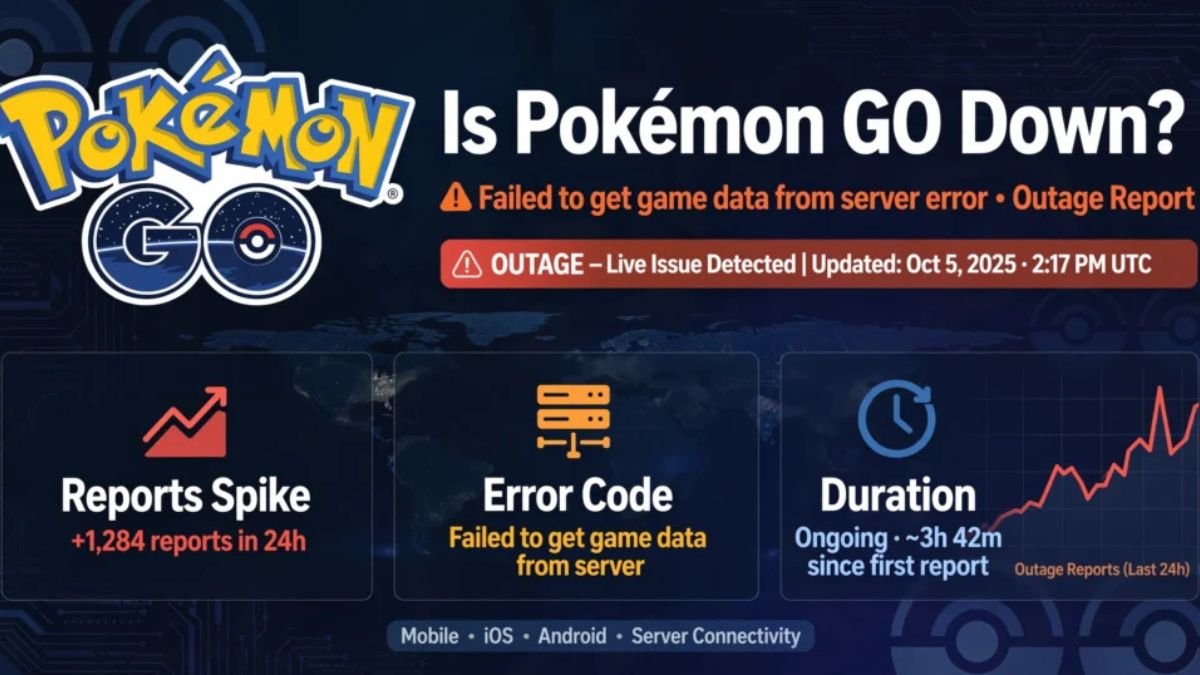
As of August 15, 2026 at 2:45 PM PKT, Pokémon GO servers are experiencing a partial outage. Trainers are reporting failed logins, infinite loading screens, and the classic “Failed to get game data from server” error. The issue is acknowledged by NianticHelp on X and backed by a sharp spike on Downdetector. If your game won’t load right now, it’s a server-side problem, not your phone.
By a Level 50 Trainer playing since 2016 | Last Updated: August 15, 2026 at 2:45 PM PKT – Checked live every 15 minutes. We are not affiliated with Niantic.
Current Pokémon GO Server Status – Live Update
Yes, Pokémon GO is down for a lot of players today, but not everyone. That’s how these outages usually work. Niantic, the studio behind Pokémon GO now operating under Scopely, rarely takes the entire game offline at once. What breaks first is authentication. The game can’t verify your account through Google, Apple, or Pokémon Trainer Club, so you get bounced back to the login screen even though your internet is fine.
The surge started in the last hour. On Downdetector, the tracker owned by Ookla, Pokémon GO reports are running several hundred percent above normal. Most complaints are the same two things: login and server connection. The in-app support page often lags behind, which is why NianticHelp on X remains the fastest official signal. If you’re seeing the Poké Ball spin forever or getting kicked with “Unable to authenticate,” you’re in the affected group.
Why Is Pokémon GO Not Working Today?
Most of the time, it’s simple overload. Whenever a big moment hits – Community Day, GO Fest, a popular Raid Hour – millions of trainers try to log in at once. The backend, which runs on Google Cloud, struggles with that sudden concurrency.
There is a second common trigger. A server-side update that conflicts with the live client. Niantic pushes changes constantly, and a bad rollout can instantly throw “Failed to get game data” errors to both Android and iOS until they roll it back.
Scheduled maintenance is the third reason, but it’s the least likely today. Niantic usually warns about maintenance a day ahead on NianticHelp. We haven’t seen that warning, which points to this being an unscheduled incident. For now, Niantic says they are investigating, and haven’t shared a specific root cause.
Is It Just You? How to Check If Pokémon GO Is Down for Everyone
Before you reinstall anything, figure out where the problem actually lives. It saves a lot of time.
Start with the official voice. Open X and check @NianticHelp. During a real outage, they post within the hour. If their last post is old or about something else, the incident might still be fresh, but keep that tab open.
Then check what other players are seeing. Downdetector’s Pokémon GO live map is the clearest way to tell. If you see a vertical spike and your region is lit up, it’s not just your device. It’s global or at least widespread.
After that, rule out the local stuff, because this is where most trainers get stuck. Flip from WiFi to mobile data and try to log in again. If you have two login methods on the same phone, test both. A lot of outages only hit PTC logins or only Google logins at first. If neither works, and Downdetector is spiking, it’s Niantic’s side. Waiting is the only real fix at that point.
How to Fix Pokémon GO Login and Loading Issues
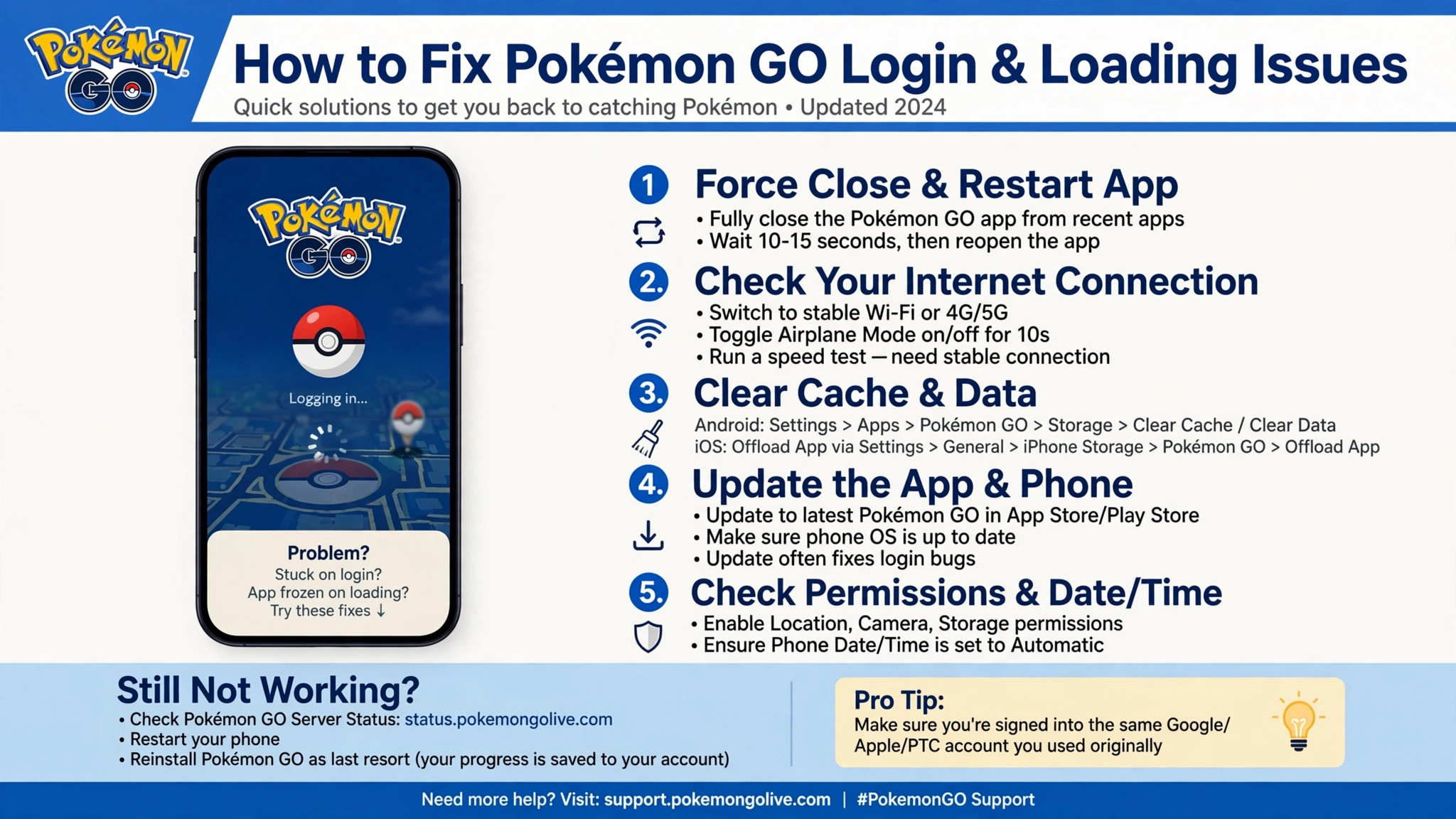
If Niantic has confirmed a full outage, nothing you do locally will bring the game back. You have to wait it out. If the status is patchy and your friends can get in while you can’t, a few local steps actually help.
Force close the app completely. Don’t just minimize it. On iPhone, swipe it away from the switcher. On Android, force stop it in settings. That clears the stuck auth token that causes infinite loading.
Next, check for an update. During an outage recovery, Niantic often requires the newest client version to log back in. Head to the App Store or Play Store and make sure you’re current.
Don’t jump straight to clearing data or reinstalling. That forces a full asset re-download and a fresh login right when login servers are unstable, which usually makes things worse. If you can reach the settings screen, try logging out and back in instead, and double-check you remember your original provider. A surprising number of players accidentally create a second account because they forget they started with Google years ago and now try PTC.
The small things matter too. Pokémon GO is picky about time and location. Make sure your phone’s date and time are set to automatic and that location permission for the app is set to While Using or Always. Toggling Adventure Sync off and on after servers recover has also helped trainers get past the loading loop.
What Happens to Raids, Events, and Battle League During an Outage?
This part is the most painful. If you were mid-Raid when servers dropped, the game often marks the Raid as done even if you never got to the catch screen. If you used a Remote Raid Pass and got kicked before encountering the boss, that pass tends to disappear.
GO Battle League is similar. A dropped connection mid-battle is usually counted as a loss. It’s not fair, but that’s how the server resolves an unfinished match.
For timed events, history tells us what happens next. When Community Day or GO Fest has been hit by a major outage in the past, Niantic has extended the event window by a couple of hours or added a makeup day. They also tend to drop a free bundle in the shop with a Remote Raid Pass, Incense, or Star Pieces as an apology. Watch the official @PokemonGoApp account after the servers stabilize for that announcement.
What to Do If You Lost a Raid Pass Due to The Outage
You can get that pass back, but you need to go through the right channel. Posting your trainer code on X won’t help.
Inside Pokémon GO, tap the Poké Ball, then Settings, then Help in the top right. That opens Niantic’s support chat. Be precise about what happened. Mention the exact time, what kind of pass you used, which Raid Boss it was, and the error code you saw. Error 29, Error 2, or “Failed to get game data” are all useful details. If you grabbed a screenshot of the error, attach it.
A clear, specific report gets resolved much faster than a general complaint. Something like “Used Remote Raid Pass at 2:31 PM PKT for a Kyogre raid, got Error 29 after defeating boss, no catch encounter” gives support everything they need to verify and replace it. They are flooded during outages, so expect a delay, but passes lost to server errors are routinely restored.
Read More: Spectrum Outages How to Check If Service Is Down in Your Area
Frequently Asked Questions
How long does a Pokémon GO outage usually last?
Most minor outages clear in 30 minutes to two hours. Bigger ones tied to major events have stretched to five or six hours before. Login authentication issues are usually fixed first.
How do I check Pokémon GO server status?
Check @NianticHelp on X for the official word and Downdetector’s Pokémon GO page for live player reports. The combination of those two gives you the most accurate picture.
Why does it keep saying Failed to get game data from server?
That message means your app can’t reach Niantic’s game servers. During a confirmed outage, it’s server-side. Outside of outages, it can be your connection, outdated client, or incorrect phone time settings.
Will Niantic give compensation for today’s outage?
If the outage lasts more than an hour during a major event, Niantic has historically extended the event and added a free box in the shop. For individual Raid Pass losses, you need to contact in-app support for a replacement.
