


Google has given the Gemini app on Android two upgrades in two days. On November 20, 2026, the app gained the ability to create short looping GIFs from a text prompt or your own photos. A day later, 9to5Google reported that the in-app camera — the one you use to add a photo to a Gemini prompt — has been thoroughly redesigned, and that the new version is now widely rolling out on Android.
Neither change is a new model or a new subscription tier. Both are about the same thing: making the Gemini app faster to use for the two things people reach for it for most — snapping a photo to ask about it, and making something to share. Here is what changed, who gets it, and how to use both features.
Summary
- New camera on Android: Gemini’s in-app camera is now an inline bottom sheet inside your chat, instead of a generic full-screen viewfinder. It is rolling out widely in the beta and stable channels (version 17.76 and up).
- GIF creation is live: Gemini can now generate short looping GIFs of about three seconds from a text prompt, up to five images, or one video, powered by the Gemini Omni 1.2 Flash video model.
- The catch on GIFs: Google’s help page says GIF creation needs a Google AI plan, and it is rolling out gradually in eight countries — the US, Canada, UK, Australia, Japan, Korea, Germany and France.
- How to get the camera: update the Google app and Gemini from the Play Store, force stop the Google app if the new camera does not appear, then tap the plus menu in the prompt box and pick the camera.
What Changed in the Camera
The Gemini app camera redesign replaces that full-screen viewfinder with something that stays inside your conversation. Until now, tapping the camera from the plus (+) menu in Gemini’s prompt box opened a full-screen viewfinder that 9to5Google described as “quite generic”. It worked, but it took you out of your conversation entirely — you left the chat, took the photo, and came back.
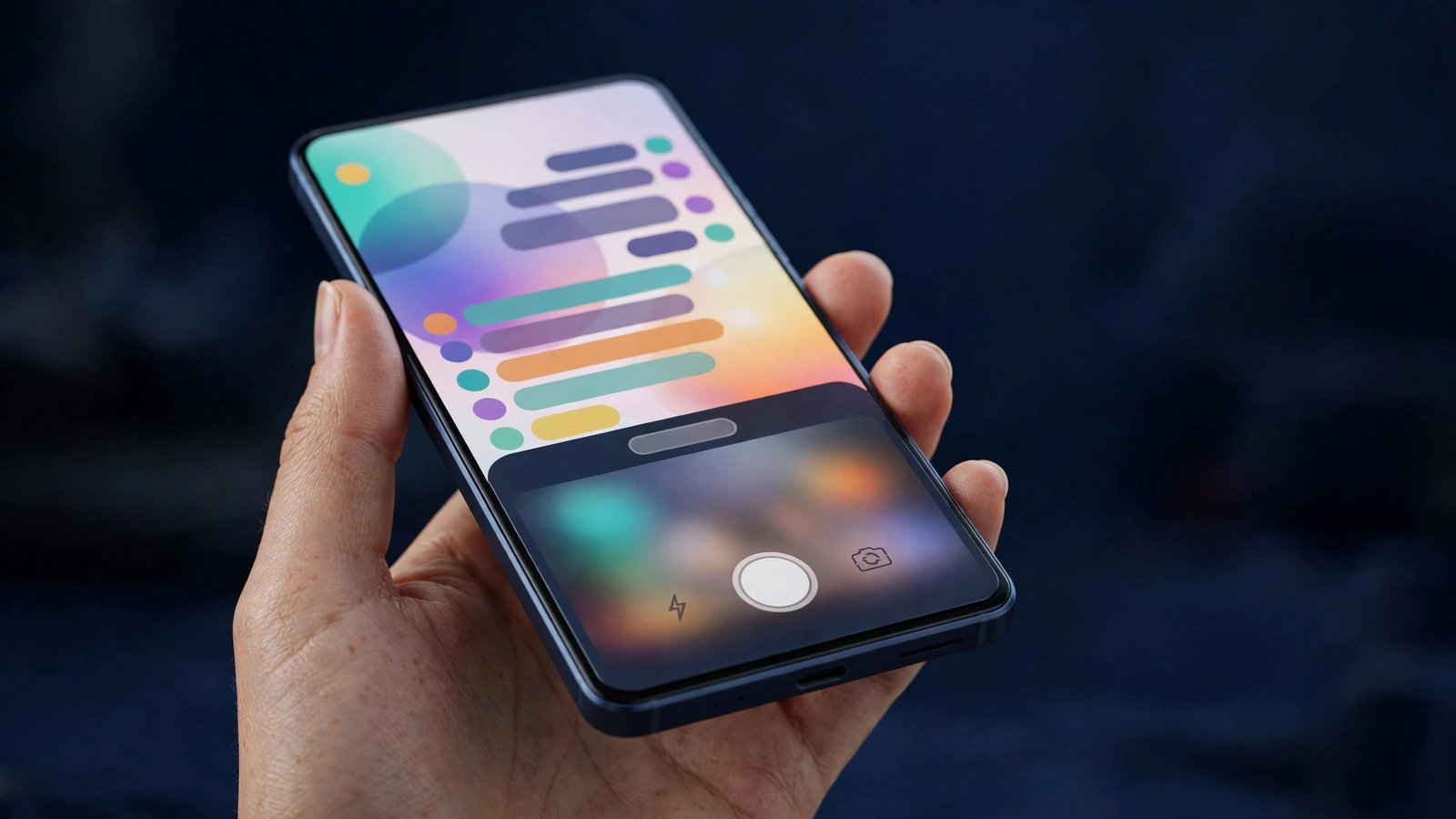
The new camera does not take over the screen. It appears inline, on the Gemini homepage or inside a conversation, as a bottom sheet that you can drag up — with what 9to5Google calls a “really slick animation” — to take up most of the screen. The redesign runs nearly edge to edge and extends behind the system navigation bar, which makes it feel like part of the chat rather than a separate app bolted on.
The controls have moved too. To the right of the capture button there is now a three-dot overflow button that animates open, revealing options to control the flash and switch to the front-facing camera. There is a back button on the other side, but you can also just swipe down to dismiss the sheet.
The redesign is not new to Gemini as a whole. It first launched in the Gemini app for iOS, and it has now reached Android. According to 9to5Google, it has widely rolled out on Android in both the beta and stable channels, on version 17.76 and up. If you do not see it yet, the suggested fix is to force stop the Google app — long-press the Google app icon, tap App info, then Force stop — and then reopen Gemini.
One part of the app still uses the old camera. If you open the camera from the Gemini overlay — the pop-up you get when you summon Gemini over another app — you still get the old full-screen viewfinder for now. Only the camera opened from inside the app itself has the new design.
How to Get the New Camera
The Gemini app camera redesign is rolling out widely, but if you are on Android and the camera still opens full-screen, work through these steps in order:
- Open the Google Play Store and check for updates to the Google app and Gemini. The redesign is tied to version 17.76 and up.
- If the new camera still does not appear, force stop the Google app. Long-press the Google app icon, tap App info, then tap Force stop. This clears the app’s cached state and is the step 9to5Google specifically recommends.
- Open Gemini, tap the plus (+) button in the prompt box, and pick the camera.
- You should see the camera slide up from the bottom of your chat instead of taking over the whole screen. Drag the sheet up to expand it, and tap the three-dot button beside the shutter for the flash and front-camera controls.
If it still does not show up, the rollout may simply not have reached your account yet. Google rolls these changes out in waves, and a server-side switch can take days to reach every device even after the app itself is updated.
GIF Creation: Make the GIF Instead of Searching for It
The second change arrived a day before the camera redesign. On November 20, Google announced on the Gemini app’s X account that Gemini can now create GIFs. The announcement put it plainly: “Say hello to GIFs in Gemini. Say goodbye to searching for the perfect one.”
There are two ways to make one. You can describe the animation you want in a normal Gemini chat — Google’s own example is a GIF of a dog riding a surfboard — or you can open the image and video creation tools, select GIF from the Format menu, and enter a prompt. You can also start from your own material: up to five images or one video, which Gemini animates into a loop.
The generated GIFs run for about three seconds and loop automatically. Google describes two main uses. One is adding motion to a photo you upload, such as a looping effect on a picture. The other is making memes and reaction clips from scratch. Once Gemini returns the GIF, you can copy and paste it into a document, email or message, or download it as a .gif file.
Google frames the feature as an alternative to searching through GIF libraries. That is a deliberate pitch: instead of scrolling through a library hoping someone already made the exact reaction you want, you describe it and Gemini generates it. ChatGPT can already create GIFs of its own, and Google is now joining it — the difference is that Gemini’s version is built into an app many Android users already have on their home screen.

What Powers It: Gemini Omni 1.2 Flash
The GIFs are generated by Gemini Omni 1.2 Flash, Google’s latest video model. Google says the model gives the animations smooth motion and keeps each frame consistent with the next — which matters more for a GIF than for a one-off video, because a loop repeats the same few seconds over and over, and any jump between frames is immediately visible.
Omni 1.2 Flash is the same model family behind Gemini’s video generation tools, and it was announced on November 5, 2026. The GIF feature is one of the first consumer-facing uses of it inside the Gemini app itself, rather than in a separate video tool.
The camera redesign and the GIF feature also sit inside a wider run of Gemini app updates this month. Google has been rolling out its Gemini 4 model family inside the app — including the new Gemini 4 Neon model for Google AI Pro and Ultra subscribers — and it expanded the Gemini app to lower-memory Android Go devices on November 18. The app is also gaining agentic features such as Gemini Tasks, which can call, book and pay on your behalf. We have covered the Gemini 4 Neon launch and the free Gemini Tasks rollout separately, and both are linked below.
Who Gets GIFs — and the Catch
GIF creation is not available to everyone yet, and the exact rules are slightly contradictory at the moment, so it is worth stating both sides plainly.
Google’s announcement says GIFs come at no extra charge for Google AI subscribers. Google’s own help documentation lists a Google AI plan as a requirement, and says the feature is for users aged 18 and up. The rollout covers eight countries: the US, Canada, UK, Australia, Japan, Korea, Germany and France. It is rolling out gradually, so even eligible users in those countries may not see the option immediately.
At the same time, Digital Trends reports that free users can also access GIF creation in those eight countries, while noting that Gemini’s help documentation still lists a Google AI plan as a requirement. That mismatch has not been resolved by Google, so the safest reading is this: if you pay for a Google AI plan in one of the eight countries, you should get GIF creation as the rollout reaches you. If you are on the free tier, you may see it too — but Google’s own documentation still says a plan is required, so do not count on it until the option actually appears in your app.
The camera redesign has no such catch. It is a free interface change rolling out to Android users in the beta and stable channels, with no subscription and no country list attached to it.
What Happens Next
Three things are worth watching. First, the overlay camera: the old full-screen viewfinder still appears when you open the camera from the Gemini overlay, and Google has not said when — or whether — that path gets the new design too. If the redesign is meant to be the standard camera everywhere in Gemini, the overlay is the obvious next step.
Second, the GIF rollout itself. Gradual rollouts in eight countries usually widen over a few weeks, and the contradiction between Google’s announcement and its help page should get resolved one way or the other: either free access becomes official, or the help page stays the rule and free users keep getting still images only. The next update to the help documentation will settle it.
Third, the wider pattern. Gemini’s app has been picking up a new capability almost every week this month — a new camera, GIF creation, new models, agent-style tasks, and an expansion to cheaper phones. The camera and GIF changes are the most visible of the lot because they change what you see and touch every time you open the app. If Google keeps this pace, the Gemini app on your phone at the end of the year will look and behave noticeably differently from the one you had at the start of November. Gemini is also expanding beyond the phone — Gemini Can Now Control Your Mac.
For now, Android users do not need to do anything special. Update the Google app and Gemini, force stop the Google app if the new camera does not appear, and check whether the GIF option shows up in the Format menu. If it does, you can stop searching for the perfect reaction GIF — and start describing it instead.
FAQs
Is the new Gemini camera available on Android now?
Yes. The redesigned in-app camera has widely rolled out on Android in both the beta and stable channels, on version 17.76 and up. It first launched in the Gemini app for iOS and reached Android on November 21, 2026. If you do not see it yet, update the Google app and Gemini from the Play Store and force stop the Google app.
How is the new Gemini camera different from the old one?
The old camera opened as a generic full-screen viewfinder when you tapped it from the plus menu. The new one appears inline on the Gemini homepage or inside a conversation as a bottom sheet you can drag up to fill most of the screen. It runs nearly edge to edge, extends behind the system navigation bar, and puts the flash and front-camera controls in a three-dot menu beside the shutter button. You can dismiss it by swiping down.
How do I make a GIF in Gemini?
Open Gemini and ask it to create a GIF in a normal chat, describing the scene you want, or open the image and video creation tools and select GIF from the Format menu. You can also animate your own photos or a video clip — up to five images or one video. Gemini returns a looping GIF of about three seconds, which you can copy into a document, email or message, or download as a .gif file.
Do I need a paid plan to create GIFs in Gemini?
According to Google’s help documentation, yes — GIF creation requires a Google AI plan, and you must be 18 or older. Google’s announcement says GIFs come at no extra charge for Google AI subscribers. Some reporting says free users in the eight rollout countries can also access it, but the help page still lists a plan as a requirement, so a paid plan is the only confirmed way in for now.
Which countries can use Gemini GIF creation?
GIF creation is rolling out in eight countries: the US, Canada, UK, Australia, Japan, Korea, Germany and France. The rollout is gradual, so even eligible users in those countries may not see the feature immediately. Google has not announced when it will expand to more countries.
Sources: 9to5Google (Nov 21, 2026); Android Authority (Nov 20, 2026); Digital Trends (Nov 21, 2026); GregglesTV (Nov 21, 2026); AndroidPure (Nov 21, 2026); ChromeGeek (Nov 22, 2026).
