



Apple has released the iOS 27.2 security update, and it is one you should not put off. The update patches 163 security flaws, including a critical WebKit remote code execution hole and six bugs linked to the jailbreaking community. If you care about keeping your iPhone safe, this is not a routine bug-fix release — it is a major security overhaul.
The scale alone tells the story. More than 160 vulnerabilities, spread across WebKit, the kernel, Apple Intelligence, Mail, Photos, Bluetooth and more, are closed in a single update. Some of them could be exploited just by visiting a malicious website or opening a crafted file. That is why Apple, and every security researcher watching this release, is urging users to install it immediately.
Key Takeaways
- iOS 27.2 patches 163 security flaws, the largest single iOS security haul in recent memory.
- A critical WebKit flaw could allow remote code execution through a malicious web page.
- Six of the fixes are credited to Calif, a researcher associated with jailbreak work — and jailbreak expert Stefan Esser says most jailbreak flaws are now patched.
- Apple Intelligence, Hide My Email and the kernel are among the other major areas fixed.
- Older iPhones are not left out: iOS 18.7.11 patches an exploited CoreGraphics flaw for iPhone XS, XS Max and XR.
The Flaws That Matter Most
WebKit — 30+ fixes, including remote code execution: WebKit, the engine behind Safari and every iOS browser, accounts for more than 30 of the patches. The most serious could let a malicious website execute code on your iPhone. Because every browser on iOS uses WebKit, there is no alternative browser that avoids this risk — updating is the only fix.
Apple Intelligence — remote data flaw: A flaw in Apple Intelligence could allow remote access to data, a worrying prospect given how deeply the system touches messages, photos and personal context. Apple has closed the hole in iOS 27.2, but users on older versions remain exposed until they update.
Hide My Email — exposure risk: Hide My Email is designed to protect your real address, yet a flaw in iOS 27.2’s predecessor could expose information it was meant to hide. The fix restores the privacy guarantee that many iPhone owners rely on for sign-ups and newsletters.
Kernel — around 15 fixes, including camera, Bluetooth and Photos access: Roughly 15 kernel fixes close the deepest layer of the operating system. Several could have allowed unauthorised access to the camera, Bluetooth or Photos, or let an app escape its sandbox. Kernel flaws are prized by attackers because they offer the most control — and by jailbreakers for the same reason.
The Jailbreak Connection
Six of the CVEs patched in iOS 27.2 are credited to Calif, a name well known in jailbreak circles. That credit alone signals how significant this release is for the jailbreak scene: the very bugs that could have powered a future jailbreak are now closed.
Jailbreak expert Stefan Esser has confirmed that most of the flaws jailbreakers were using have been patched in this update. In other words, if you were waiting for a jailbreak on the latest iOS, this release makes that considerably harder — and if you are a regular user, it makes your phone considerably safer.
The credits also show the breadth of the research behind the release. Anthropic is credited with three flaws and OpenAI with four, alongside Calif’s six and contributions from other researchers. Security research, including from AI labs, is now a major source of iOS hardening.
What If Your iPhone Can’t Run iOS 27?
Not every iPhone can install iOS 27. Apple has not abandoned older devices, though. iPhones that can run iOS 26 receive iOS 26.7.2, which includes the most important security fixes from this round.
For even older models, Apple has released iOS 18.7.11 for the iPhone XS, XS Max and XR. That update patches an exploited CoreGraphics flaw, CVE-2026-86950, found by Meta. An exploited flaw means attackers were already using it in the wild — so owners of these older phones should update just as urgently as owners of the latest models.
Across iOS and macOS combined, Apple has fixed 286 flaws in this security round. It is a reminder that modern devices are complex, and that keeping them updated is the single most effective security habit you can have.
How to Update
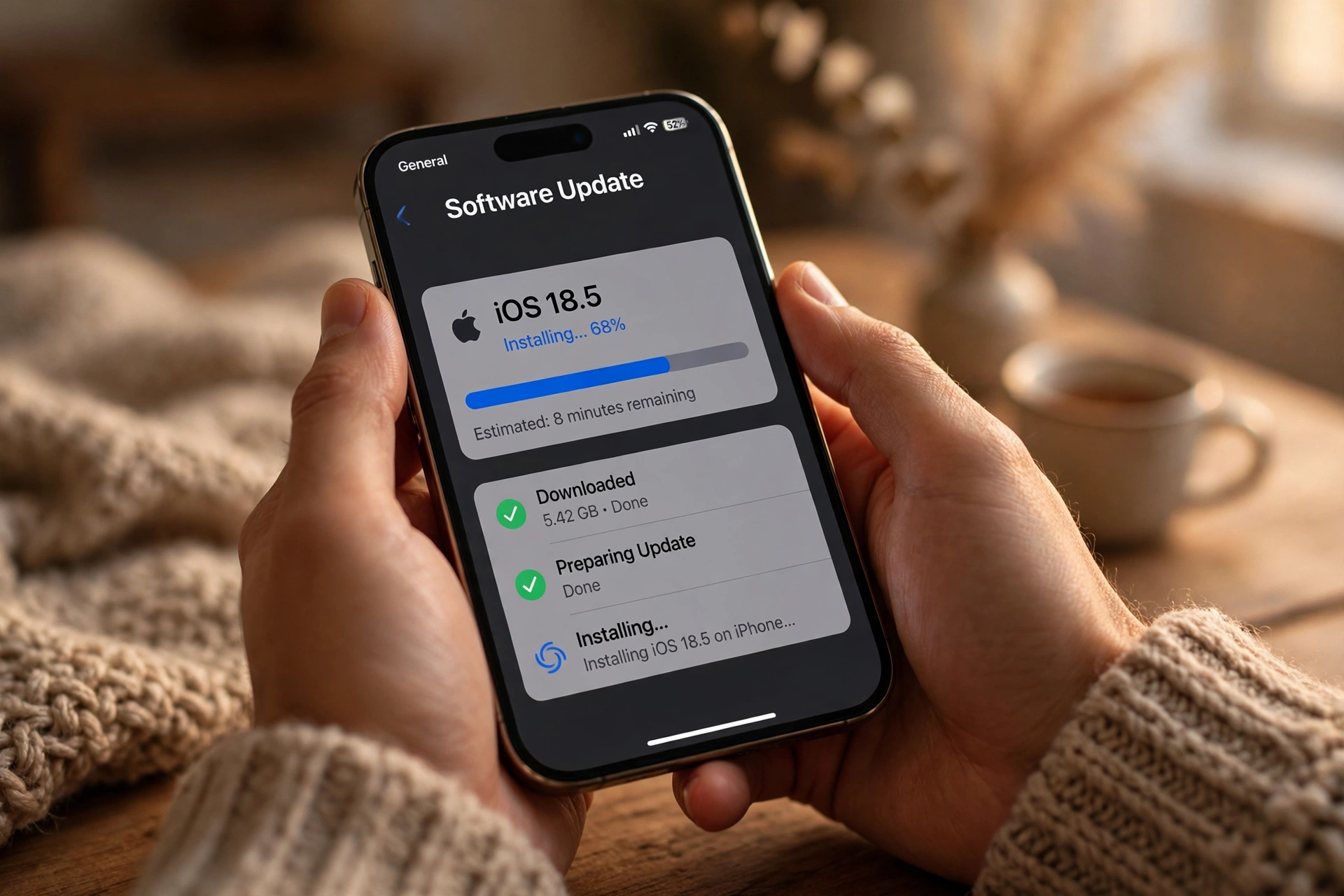
- Open Settings on your iPhone.
- Tap General, then Software Update.
- If iOS 27.2 (or iOS 26.7.2 / iOS 18.7.11 for older models) is available, tap Download and Install.
- Make sure you are on Wi-Fi and have enough battery, or plug in your phone, and let the update finish.
- Install it immediately — do not leave it for later in the week.
The new features are a bonus. For a full look at what else iOS 27.2 adds, see our guide to the iOS 27.2 update, features and release date. But the security fixes alone are reason enough to update today.
FAQs
How many flaws does iOS 27.2 fix?
iOS 27.2 fixes 163 security flaws, including more than 30 in WebKit and around 15 in the kernel.
Is the WebKit flaw in iOS 27.2 really that serious?
Yes. The critical WebKit flaw could allow remote code execution from a malicious web page, and every iOS browser uses WebKit, so updating is the only protection.
Does iOS 27.2 block jailbreaks?
Effectively, yes for now. Six jailbreak-linked bugs credited to Calif are patched, and Stefan Esser says most jailbreak flaws have been closed in this release.
What should I do if my iPhone cannot run iOS 27?
Install iOS 26.7.2 if your phone supports iOS 26, or iOS 18.7.11 if you have an iPhone XS, XS Max or XR. Both include critical security fixes from this round.
What is CVE-2026-86950?
CVE-2026-86950 is an exploited CoreGraphics flaw found by Meta and patched in iOS 18.7.11 for older iPhones, including the XS, XS Max and XR.
Bottom Line
Bottom line: iOS 27.2 is not an update to schedule for later — it is an update to install now. With 163 flaws fixed, a critical WebKit hole closed and the jailbreakers’ best bugs patched, every day you delay is a day your iPhone stays exposed. Open Settings, check Software Update, and install it today.
