

Close Menu
techinkey.comtechinkey.com
    What's Hot

    Android 17 QPR3 Beta 3 Is Out: App Lock Is Back, Plus 26 Fixes

    October 30, 2026

    One UI 9 Battery Drain? Why It Happens and 8 Fixes That Actually Help

    October 30, 2026

    WhatsApp’s 4 New Group Chat Features: Pin Forever, Group Status and More

    October 30, 2026
    Facebook X (Twitter) Instagram
    Trending
    • Android 17 QPR3 Beta 3 Is Out: App Lock Is Back, Plus 26 Fixes
    • One UI 9 Battery Drain? Why It Happens and 8 Fixes That Actually Help
    • WhatsApp’s 4 New Group Chat Features: Pin Forever, Group Status and More
    • OnePlus Ace 7 Pro Has a Built-In Cooling Fan — and It Just Sustained 185 FPS in a Gaming Test
    • Samsung Galaxy Fit 4 Leaks: New Colors, Bluetooth 5.4 — and One Big Question About GPS
    • Vivo Y600 Packs a 10,000mAh Battery — and a Guinness World Record — for About $280
    • Samsung W27 Launches Today: A Gold-Trimmed Galaxy Z Fold 8 Ultra You (Probably) Can’t Buy
    • iOS 27.2 Fixes 163 Security Flaws — Including Ones the Jailbreakers Used. Update Now
    Facebook X (Twitter) Instagram Pinterest VKontakte
    techinkey.comtechinkey.com
    • Home
    • Tech News
    • Technology
    • SmartPhones
    • Gadget
    • Smart Car Tech
      • Electric Vehicles
    • How-To
    techinkey.comtechinkey.com
    Home - Apps - Your Android Phone Says a January 2027 Update Is Installed — Here’s What’s Going On
    Apps

    Your Android Phone Says a January 2027 Update Is Installed — Here’s What’s Going On

    Anas AliBy Anas AliOctober 25, 2026No Comments5 Mins Read
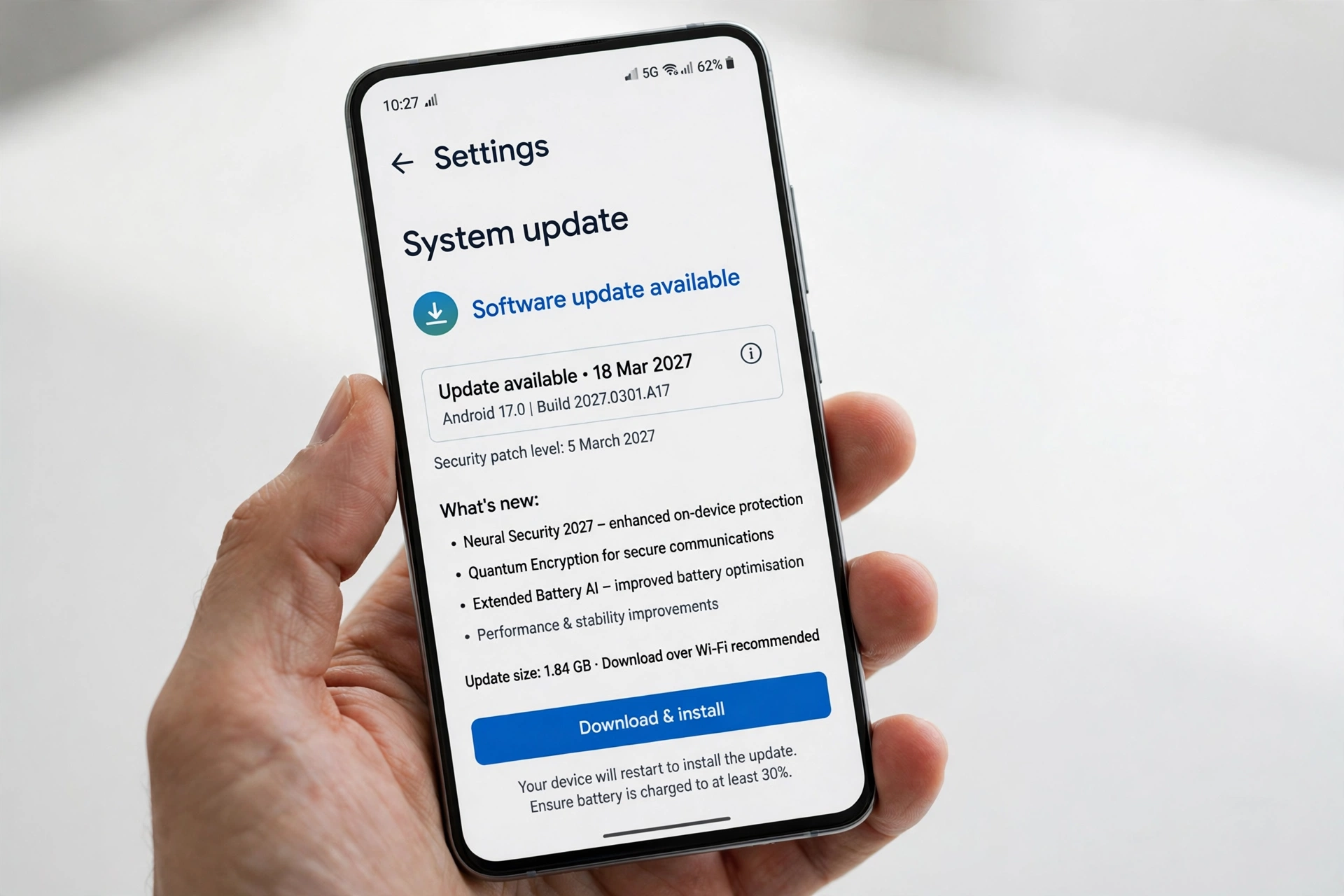
    Android phone showing a Google Play system update dated January 2027
    Share
    Facebook Twitter LinkedIn Pinterest Email

    If you have checked your Android phone’s update screen recently and found a Google Play system update dated January 1, 2027, you are not alone — and you have not travelled into the future. Phones from several manufacturers are showing the same impossible date, and it has understandably worried owners who wonder whether their device has been hacked, misconfigured, or left unprotected. The good news is that this is a harmless labeling bug, not a security problem. Here is why it is happening and how to check your phone properly.

    Key Takeaways

    • Android phones are showing a Google Play system update dated January 1, 2027.
    • The date is a labeling bug: October 2026 update content was mislabeled with a 2027 date.
    • Your phone is not hacked, and the wrong date does not mean you are unprotected.
    • The date shown is not your Android security patch level — check that separately in Settings.
    • Google is rolling out a small correction that restores the date to October 1, 2026.

    Table of Contents

    Toggle
    • Why Is This Happening?
    • Is It Dangerous?
    • How to Check Your Phone
    • Has Google Fixed It?
    • Frequently Asked Questions
      • Why does my phone say January 2027?
      • Is my phone hacked?
      • Am I still protected?
      • Will a factory reset fix it?
      • When will the date be corrected?

    Why Is This Happening?

    The problem appears to come down to bad metadata. Google Play system updates are delivered as small packages, and each one carries information about which version it is and when it was released. In this case, content that was actually part of the October 2026 update was mislabeled with a January 2027 date, so phones that installed it correctly now display a future date as their latest Google Play system update. In other words, the update itself is genuine; only the label attached to it is wrong, which is why so many different phones are showing exactly the same January 1, 2027 date.

    Is It Dangerous?

    No, this glitch is not dangerous in itself, and there is no evidence that it exposes your phone to attack or that it means malware has been installed. However, there is one important distinction to keep in mind: the Google Play system update date is not your security patch level. Your Android security patch level, which reflects the most recent security fixes for your device, is shown separately in Settings, and that is the date you should rely on when judging whether your phone is up to date. A wrong Play system date does not change your patch level, but it can make it harder to tell at a glance whether everything is as it should be.

    How to Check Your Phone
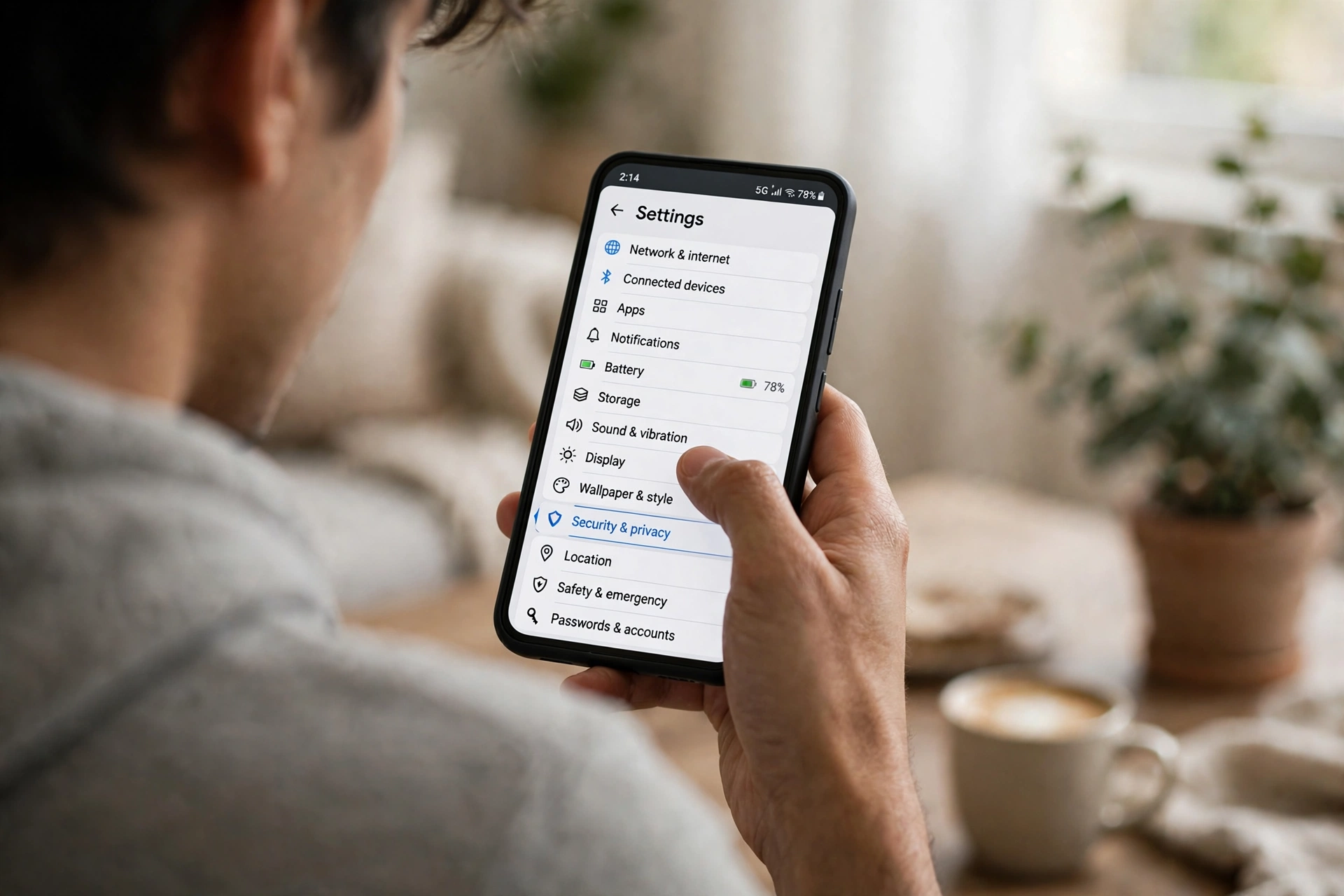
    Android phone showing the Settings screen used to check the Google Play system update

    1. Open Settings on your Android phone.
    2. Tap Security & privacy.
    3. Tap Google Play system update to see the version and date currently installed.
    4. If an update is offered, install it, then check again — the corrected version should show the October 2026 date.

    Has Google Fixed It?

    Google is rolling out a correction, and the fix itself is tiny — an 11KB update that corrects the mislabeled date and restores it to October 1, 2026. The correction has already been spotted on at least one Galaxy phone, which suggests the rollout is underway, though, as with most Play system updates, it may take time to reach every device and manufacturer.

    One thing that will not help is a factory reset. Because the wrong date comes from Google’s update metadata rather than anything on your phone, wiping the device and starting again will simply lead to the same mislabeled update being installed again. The sensible approach is to wait for the correction to arrive, keep your security patch level in mind, and avoid any third-party tool that claims to fix the date for you.

    Frequently Asked Questions

    Why does my phone say January 2027?

    Because October 2026 Google Play system update content was mislabeled with a January 1, 2027 date. It is a labeling bug, not a sign that your phone’s clock or software has been tampered with.

    Is my phone hacked?

    There is no evidence of hacking in these reports. The same future date is appearing on many phones, which points to a widespread metadata error rather than individual devices being compromised.

    Am I still protected?

    Yes, as long as your Android security patch level is current. Check that date separately in Settings, rather than relying on the Google Play system update date alone.

    Will a factory reset fix it?

    No. A factory reset will not help, because the incorrect date comes from Google’s update package, not from your phone’s settings or data.

    When will the date be corrected?

    Google is rolling out an 11KB correction that restores the date to October 1, 2026. It has been spotted on at least one Galaxy device, and it should reach other phones as the rollout continues.

    Bottom line: A January 2027 update date looks alarming, but it is just a mislabeled October 2026 update. Check your security patch level, install the correction when it arrives, and do not factory-reset your phone over a date that Google itself got wrong.

    Share. Facebook Twitter Pinterest LinkedIn Tumblr Email
    Avatar photo
    Anas Ali
    • Website
    • X (Twitter)

    Anas Ali is a technology writer and editor at TechInKey, covering the latest developments in AI, smartphones, gadgets, software, apps, and digital technology. He focuses on creating clear, useful, and up-to-date content that helps readers understand new products, emerging technologies, and important technology trends.

    Related Posts

    Android 17 QPR3 Beta 3 Is Out: App Lock Is Back, Plus 26 Fixes

    October 30, 2026

    WhatsApp’s 4 New Group Chat Features: Pin Forever, Group Status and More

    October 30, 2026

    iOS 27.2 Fixes 163 Security Flaws — Including Ones the Jailbreakers Used. Update Now

    October 28, 2026

    iOS 27.2 Is Coming This Week: New Siri Languages, a Health App Redesign, and the Fixes That Matter

    October 25, 2026
    Add A Comment
    Leave A Reply Cancel Reply

    Recent Post

    Android 17 QPR3 Beta 3 Is Out: App Lock Is Back, Plus 26 Fixes

    October 30, 2026

    One UI 9 Battery Drain? Why It Happens and 8 Fixes That Actually Help

    October 30, 2026

    WhatsApp’s 4 New Group Chat Features: Pin Forever, Group Status and More

    October 30, 2026

    OnePlus Ace 7 Pro Has a Built-In Cooling Fan — and It Just Sustained 185 FPS in a Gaming Test

    October 28, 2026

    Samsung Galaxy Fit 4 Leaks: New Colors, Bluetooth 5.4 — and One Big Question About GPS

    October 28, 2026

    TechInKey is your trusted source for the latest technology news, AI updates, gadget reviews, how-to guides, digital trends, and useful insights to help you stay informed in the fast-changing tech world.

    Email Us: contact@techinkey.com

    Facebook X (Twitter) Pinterest
    Recent Post

    Android 17 QPR3 Beta 3 Is Out: App Lock Is Back, Plus 26 Fixes

    October 30, 2026

    One UI 9 Battery Drain? Why It Happens and 8 Fixes That Actually Help

    October 30, 2026

    WhatsApp’s 4 New Group Chat Features: Pin Forever, Group Status and More

    October 30, 2026
    Most Popular

    Microsoft Outlook Outage Today Live Status, Cause & Fix

    August 31, 2026

    Is Pokémon GO Down Right Now? Live Server Status & Outage Fix

    August 15, 2026

    PS5 Pro Review Price, Specs, and Is It Worth It in 2026?

    August 28, 2026
    • Homepage
    • About Us
    • Contact Us
    • Disclaimer
    • Privacy Policy
    • Terms & Conditions
    © 2026 TechInKey. All Rights Reserved.

    Type above and press Enter to search. Press Esc to cancel.