


The fastest ways to speed up a slow laptop are: restart it, remove startup programs, free up disk space, and uninstall apps you don’t use. If it’s still slow, the single biggest upgrade is swapping a hard drive (HDD) for an SSD — it makes an old laptop feel new. The full checklist below covers Windows and Mac, free fixes first, upgrades last.
1. Restart Your Laptop
It sounds too simple, but a restart clears temporary files, stuck processes, and memory leaks. If your laptop has been on for days, restart it before trying anything else.
2. Find What’s Slowing It Down
On Windows: Press Ctrl + Shift + Esc to open Task Manager. Click the CPU, Memory, and Disk columns to see which apps use the most resources. A program stuck at 100% disk or CPU is your culprit.
On Mac: Open Activity Monitor (Applications > Utilities) and check the CPU and Memory tabs the same way.
3. Stop Unnecessary Startup Programs
Programs that launch at boot slow every startup and keep running in the background.
- Windows: Task Manager > Startup apps > right-click anything you don’t need at boot > Disable.
- Mac: System Settings > General > Login Items > remove apps you don’t need.
4. Free Up Disk Space
A nearly full drive slows everything down. Aim to keep at least 15–20% of your disk free.
- Windows: Settings > System > Storage > turn on Storage Sense, then delete temporary files and old downloads.
- Mac: Apple menu > About This Mac > More Info > Storage Settings > use the built-in cleanup recommendations.
- Empty the Recycle Bin / Trash, and move large files (videos, backups) to an external drive or cloud storage.
5. Uninstall Apps and Bloatware You Don’t Use
- Windows: Settings > Apps > Installed apps > uninstall anything you don’t recognize or no longer use. Pay attention to pre-installed trial software.
- Mac: Open Finder > Applications, drag unused apps to the Trash.
6. Reduce Visual Effects
Animations look nice but cost performance on older machines.
- Windows: Search “Adjust the appearance and performance of Windows” > select Adjust for best performance, or uncheck animations and transparency manually.
- Mac: System Settings > Accessibility > Display > turn on Reduce motion and Reduce transparency.
7. Scan for Malware
Malware and adware are a common hidden cause of a slow laptop. Run a full scan with Windows Security (built into Windows) or a reputable scanner on Mac. Remove anything it finds, then restart.
8. Update Windows / macOS and Your Drivers
Outdated systems and drivers cause slowdowns and bugs. Install all pending OS updates, then update graphics and chipset drivers from your laptop maker’s support page (Dell, HP, Lenovo, Apple, etc.).
Updates download faster on a strong connection — if downloads crawl, see why your Wi-Fi is so slow.
9. Upgrade to an SSD (Biggest Single Upgrade)
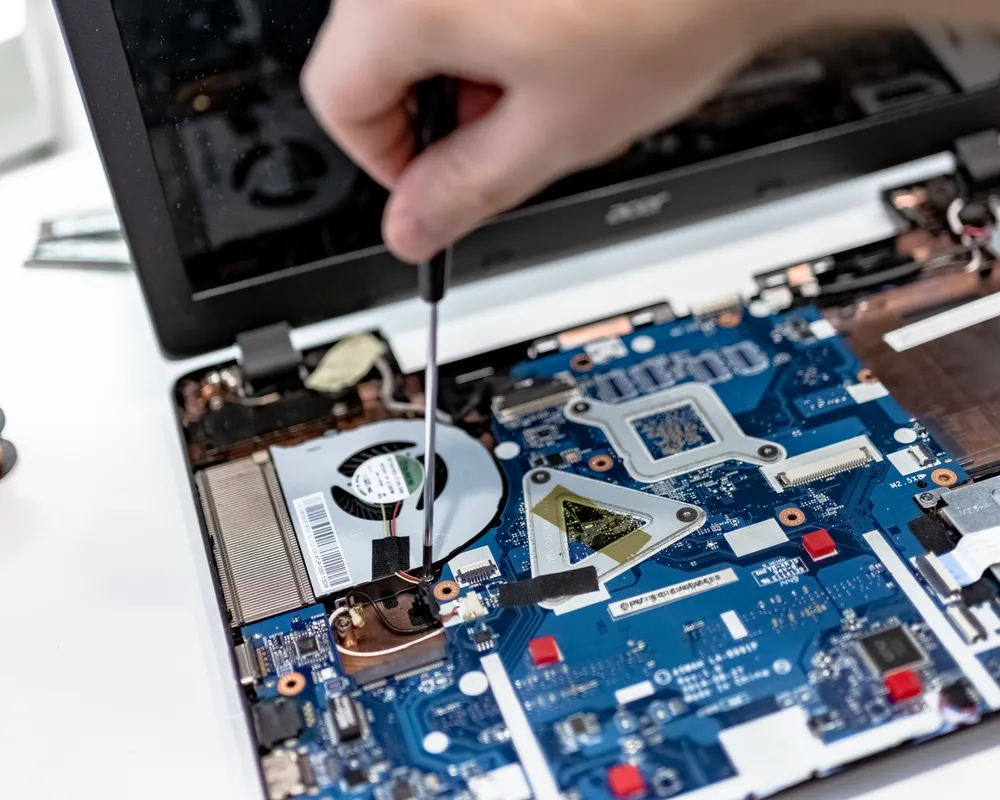
If your laptop still has a mechanical hard drive (HDD), upgrading to an SSD is the single biggest speed improvement you can make — boot times often drop from minutes to seconds. A 500GB SATA SSD is affordable, and most laptops from the last 10 years support the swap. If you’re not comfortable opening your laptop, any repair shop can do it.
10. Add More RAM (If You Multitask)
If you regularly run a browser with many tabs plus apps like Zoom, Photoshop, or games, 8GB of RAM may not be enough. Upgrading to 16GB removes most multitasking slowdowns. Check your laptop’s manual or the manufacturer’s site to confirm it supports a RAM upgrade.
Heat also slows a laptop down — if yours runs hot, see how to fix laptop overheating.
Quick Checklist
| Fix | Cost | Impact |
|---|---|---|
| Restart | Free | Fixes temporary slowdowns |
| Startup cleanup | Free | Faster boot |
| Free up disk space | Free | Smoother overall |
| Uninstall bloatware | Free | Frees CPU + disk |
| Reduce visual effects | Free | Helps old laptops |
| Malware scan | Free | Removes hidden drag |
| Updates | Free | Fixes bugs |
| SSD upgrade | $30–$60 | Biggest single upgrade |
| RAM upgrade | $25–$50 | Fixes multitasking lag |
Frequently Asked Questions
Why is my laptop so slow all of a sudden?
The most common causes are a program hogging CPU/disk, a nearly full drive, too many startup programs, malware, or a pending update. Check Task Manager / Activity Monitor first.
Will an SSD make my old laptop faster?
Yes — for laptops with a mechanical hard drive, an SSD upgrade is the biggest single speed improvement, especially for boot time and app loading.
How much RAM do I need?
8GB is enough for basic browsing and office work. 16GB is recommended if you multitask heavily or use editing, design, or development software.
Does deleting files speed up a laptop?
Only if the drive was nearly full. Freeing space to keep 15–20% of the disk empty helps, but deleting a few files on a half-empty drive won’t change much.
Should I reset my laptop?
A factory reset is a last resort. Try the fixes above first — a reset deletes everything and takes hours to set up again.
