


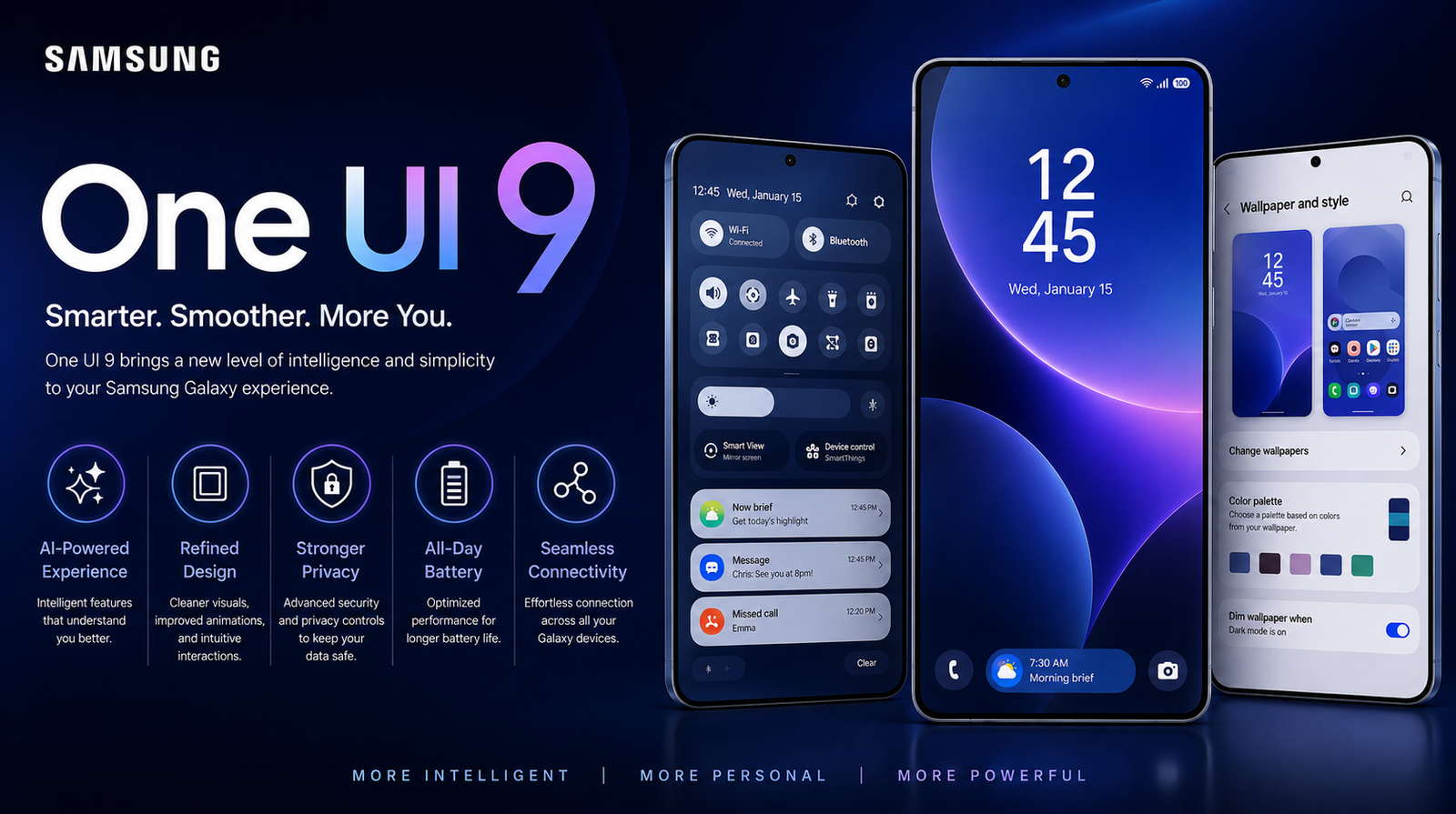
Samsung One UI 9 is Samsung Electronics’ custom software built on top of Google’s Android 17. It is expected to enter beta in Q4 2026 and arrive in stable form with the Galaxy S26 series in early 2027. Based on Android 17’s developer preview and Samsung’s official update policy, it will roll out to Galaxy S23 and newer, Z Fold 5 and Flip 5 and newer, and select A, M, and F series phones that launched with Android 13 or later, with a focus on on-device Galaxy AI, Knox privacy upgrades, and battery health.
What is One UI 9?
One UI 9 is Samsung’s take on Android 17. It is what comes after One UI 8 and the One UI 8.5 version expected to debut on the Galaxy S26.
Google provides the foundation. Samsung builds everything you actually touch. How the lock screen behaves, how the Quick Panel feels, how multitasking works on a Fold, where Galaxy AI lives. That is all One UI.
With One UI 9, don’t expect a complete visual overhaul. Samsung already did the heavy lifting in One UI 6 and refined it in One UI 8. This version is shaping up to be about intelligence and polish. Android 17 itself is centered on privacy, background efficiency, and on-device AI, and Samsung is leaning into exactly that.
Samsung One UI 9 Release Date and Rollout Timeline
Samsung has not announced One UI 9 officially. But if you have followed Samsung for a few years, the pattern is predictable, and Google’s Android 17 schedule confirms it.
Google finalizes Android in August or September. Samsung opens its beta soon after, then ships the stable version first with its next S flagship.
One UI 9 Beta Program
The One UI 9 beta program will likely begin in Q4 2026. Samsung almost always starts in South Korea and the United States, then expands to Germany, the UK, India, and Poland within days.
You join through the Samsung Members app. When the banner goes live, you enroll your device and then check for updates in Settings. For One UI 9, beta access should be limited to flagships – Galaxy S26 and S25 series, Z Fold 7, Z Flip 7, and possibly S24 series. A-series phones usually don’t get beta.
One thing we see every year: people install beta on their daily driver without a backup. Don’t. Beta builds can break banking apps, trigger odd battery drain, and temporarily disable Good Lock modules. Run a full Smart Switch backup to your PC before you tap enroll.
Stable Release Schedule
Stable One UI 9 will arrive out of the box on the Galaxy S26 lineup, expected in February 2027. That is how Samsung always does it.
After that, the rollout is fairly orderly. The first wave hits right after launch – Galaxy S25 series, Z Fold 7, Z Flip 7. The second wave follows a few weeks later – S24 series, Z Fold 6, Z Flip 6, and higher-end A models like the A56 and A55. The third wave stretches into mid-2027 – S23 series, A36, A35, M55 and similar.
Region matters. Unlocked models in Korea usually get it first. Europe and US unlocked follow quickly. US carrier-locked variants can lag by two to four weeks. India often gets A and M series updates faster than the US, so if you are on an A-series phone there, you might see it earlier than expected.
Which Devices Will Get One UI 9? Full Eligible List
Yes, your Galaxy will get One UI 9 if it launched with Android 13 or later and falls under Samsung’s four-year or seven-year OS promise. That is the rule, and Samsung has been consistent about it.
According to Samsung’s official support policy, if your phone launched with Android 13, it is entitled to Android 14, 15, 16, and 17. That means One UI 9 is included. If it launched with Android 12, it stops at Android 16.
Flagships that launched with seven years of support, like the S24 and S25 series, are covered all the way to Android 21.
Galaxy S Series Eligible for One UI 9
The entire Galaxy S23 family and newer will get One UI 9. That includes Galaxy S23, S23+, S23 Ultra, S23 FE, S24 series, S24 FE, S25 series, and the upcoming S26 series. The Galaxy S22 series launched with Android 12 and has completed its four major updates. It will stay on One UI 8 with security patches.
Galaxy Z Fold and Z Flip Series Eligible
Z Fold 4 and Z Flip 4 have reached the end of their OS upgrade window. For One UI 9, the eligible foldables are Galaxy Z Fold 5, Z Flip 5, Z Fold 6, Z Flip 6, Z Fold 7, Z Flip 7 and their successors.
Galaxy A, M, and F Series Eligible
For Galaxy A series, the line is quite clear. Models like Galaxy A34, A35, A36, A54, A55, A56 and newer will get One UI 9. They launched with Android 13 or later, so they still have an OS update left.
The same logic applies to M and F series. M34, M54, F54 and newer are in. Older models like M33, M53, F23 are not.
Galaxy Devices That Will NOT Get One UI 9
If you are using Galaxy S22, S21, Z Fold 4, Z Flip 4, A53, A33, M53 or any mid-range phone that launched before 2023 with Android 12, you will remain on One UI 8 or One UI 8.5. You will still receive security updates for about another year, but you won’t get the Android 17 base.
One UI 9 New Features: What’s Actually New?
One UI 9 features will come from two places – what Google puts into Android 17, and what Samsung adds on top. Per Google’s Android 17 Developer Preview and Samsung Newsroom updates on Galaxy AI, we already have a solid picture.
This is not a leaks roundup. It is about what actually makes sense for Samsung to ship.
Visual Changes and Customization
Samsung is not going to reinvent the look again. The big Quick Panel redesign and lock screen overhaul happened in One UI 6 and were polished in One UI 8. One UI 9 will refine that.
What is coming is more granular control. Android 17 brings better dynamic theming and improved layouts for large screens. On One UI 9, that likely means more useful lock screen clock styles, theming that actually applies consistently across Samsung apps, and smoother, more consistent animations. For power users, the important change will be Good Lock. Every major One UI breaks a few modules. Samsung has been working to integrate Good Lock more deeply, so expect better native compatibility for Home Up and LockStar this time instead of waiting weeks for fixes.
Galaxy AI and Intelligence Features
This is the centerpiece of One UI 9. Samsung’s first wave of Galaxy AI relied heavily on the cloud. The next wave is moving on-device, which makes it faster and more private.
Live Translate should finally hold a natural conversation without that awkward pause. Transcript Assist and Writing Assist are expected to work system-wide, not just inside Samsung’s own keyboard. Photo Assist is likely to expand from photos to video – removing an object from a short clip. And Bixby, which has lagged behind, is finally in line for a real large language model upgrade. The kind where you can say, “Find photos from last week in Kochi and make an album,” and it actually does it.
Most of these advanced features will stay exclusive to S and Z series for a few months before trickling down to A series.
Privacy, Security and Knox
Android 17 puts a lot of weight on privacy. Google is expanding Private Space and tightening how apps can access your photos and location in the background. Samsung will adopt all of that and layer Knox on top.
One UI 9 will ship with a newer Knox version, likely Knox 4.x or higher. The Privacy Dashboard should become more useful – not just telling you which app used a permission, but how long it used it and whether it was in the background. Theft protection, which Google introduced earlier, is getting stronger in Android 17, and Samsung is integrating it with Find My Mobile. For enterprise users, Knox Vault enhancements will be a quiet but important part of the changelog.
Performance, Battery and System Improvements
Every One UI promises better battery life. One UI 9 might be the one where you actually feel it. Android 17 introduces a smarter battery health system that can intelligently hold charging at 80 percent based on your routine, plus better management of background tasks.
Samsung is also finally expected to show true battery health percentage, something users have asked for for years. On the performance side, Android 17 improves memory handling on large-screen devices. If you use a Fold, that should mean fewer app reloads when you unfold and better continuity when moving between cover and main screens.
One UI 9 vs One UI 8: Should You Care About The Upgrade?
Yes, but not for the reasons you might think. If you are expecting a completely new look, One UI 9 will feel subtle. One UI 8 already delivered the big visual changes.
The difference that matters is intelligence and longevity. One UI 8 brought Galaxy AI to everyone. One UI 9 makes that AI usable offline, faster, and less intrusive. It also adds things that pay off over months, not minutes – battery health transparency, stronger privacy, and better memory management that keeps your phone feeling fast longer.
If you are on One UI 7 or 8, the upgrade is worth it for the polish alone. If you are buying a phone in 2027, One UI 9 is the reason that phone will still feel good in 2030.
How to Install One UI 9 on Your Galaxy Device
You have two paths, and they are very different in terms of risk.
For the beta, you need a supported flagship and you need to be in a supported country. Open Samsung Members, look for the One UI 9 Beta banner, enroll, then go to Settings > Software update > Download and install. The beta package is usually around 3GB. Leave at least 8GB free, keep your battery above 50 percent, and back up with Smart Switch on a PC. Rolling back from beta requires a full wipe.
For the stable release, just wait for the notification. When it is ready for your device, go to Settings > Software update > Download and install over Wi-Fi. After a major update, if you notice minor lag or stutter, a simple cache wipe helps. Power off, connect to a PC via USB, hold Volume Up and Power, and choose Wipe cache partition from recovery. It doesn’t delete your data and it fixes most post-update quirks.
Don’t judge battery life in the first 48 hours. Your phone re-optimizes apps in the background after a big OS upgrade. That temporary drain is completely normal.
One UI 9 Issues and Early Feedback: Should You Update on Day One?
If your phone is critical for work, don’t update on day one. That is advice we give every year, and it holds for One UI 9.
Early stable builds usually have small but annoying issues. Some banking apps need an update to work with new security changes. Good Lock modules like QuickStar and Keys Cafe often crash until Samsung pushes fixes a week later. We also typically see reports about Android Auto disconnects and slightly higher idle drain in the first week.
The smarter move is to wait for the first hotfix, which usually lands two to three weeks after the initial rollout. You get all the new features without dealing with the early bugs. If you love being first, go ahead and install, just report anything odd through Samsung Members so it gets fixed faster.
One UI 9 at a Glance
One UI 9 is Samsung’s Android 17 update expected to launch in early 2027. The beta should start in late 2026 for Galaxy S and Z flagships. It will be available for Galaxy S23 and newer, Z Fold 5 and Flip 5 and newer, and recent A, M, and F phones that launched with Android 13 or later. The main focus is refined visuals, on-device Galaxy AI that works offline, stronger Knox privacy controls, and real battery health information.
Frequently Asked Questions
What Android version is One UI 9 based on?
One UI 9 is based on Android 17. Google builds Android 17, and Samsung adds One UI, Galaxy AI, and Knox on top of it.
When will my Samsung phone get One UI 9?
Flagships like Galaxy S25, S24, Z Fold 6 and Z Flip 6 will likely get it in Q1 or Q2 2027. Mid-range phones like Galaxy A55 and A35 will get it in Q2 or Q3 2027. Exact timing depends on region and whether your model is carrier-locked.
Will Galaxy A54 get One UI 9?
Yes. Galaxy A54 will get One UI 9. It launched with Android 13 and has four OS upgrades promised, so Android 17 is its final major update.
Will Galaxy A53 get One UI 9?
No. Galaxy A53 will not get One UI 9. It launched with Android 12, so its update cycle ends with Android 16-based One UI 8.
What are the best new features in One UI 9?
The most useful new features are expected to be on-device Galaxy AI, a more detailed Privacy Dashboard with Knox improvements, real battery health percentage, and smoother performance for Fold and Flip devices.
How can I join the One UI 9 beta program?
You can join through the Samsung Members app when Samsung opens the banner in supported countries. It is limited to recent flagships like S25 and S26 series. Always back up before installing beta.
Will One UI 9 improve battery life or make my phone slow?
One UI 9 should not make supported phones slower. It brings better memory management and battery health controls from Android 17. Battery may drain a bit more for the first two days while the phone optimizes apps, then it settles.
Read more: Samsung Galaxy S25 Ultra Review Real-World Price, Camera & Battery Test
