


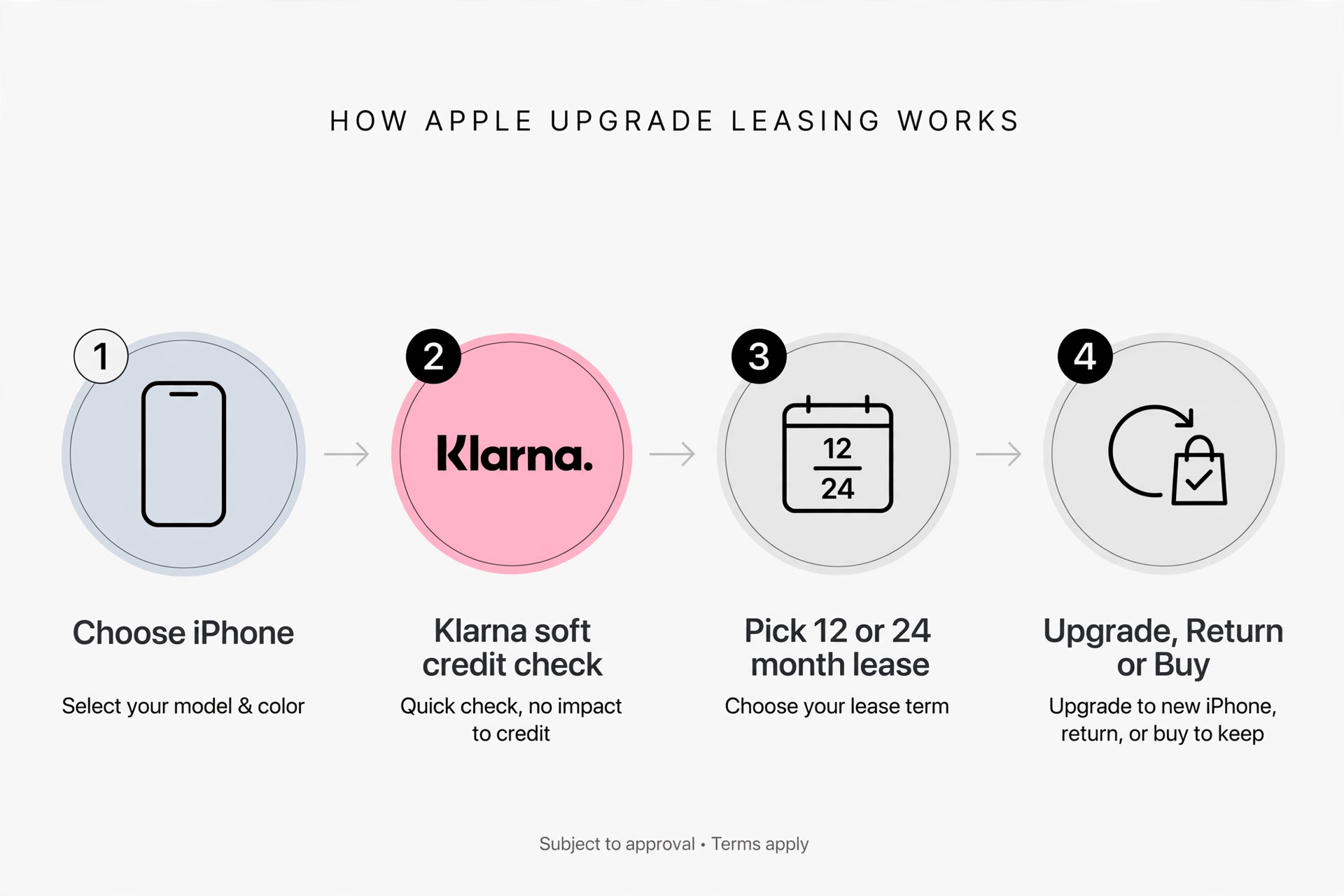
The Apple iPhone Upgrade Program is a 24-month, 0% APR installment loan from Citizens One, N.A. that bundles an unlocked iPhone and AppleCare+ into one monthly payment. After 12 payments, you can return your iPhone in good working condition and upgrade to the latest model, which closes your old loan and starts a new one. It’s a US-only program designed for yearly upgraders who want protection included and carrier freedom.
What Is the Apple iPhone Upgrade Program?
It’s Apple’s own way to get a new iPhone every year without paying everything upfront or being tied to a carrier.
Unlike carrier financing, this is not a lease and it doesn’t rely on bill credits. You take out an installment loan for the full retail price of the iPhone plus AppleCare+. Citizens One, N.A. services that loan, not Apple. You pay it over 24 months at 0% interest. The iPhone itself arrives fully unlocked, so you can activate it on AT&T, Verizon, or T-Mobile and switch later without penalty.
The key benefit is the upgrade option built into the loan agreement. Once you’ve made 12 payments, Apple lets you trade in that iPhone and start fresh with the newest model. You don’t have to cover the remaining balance. If you skip the upgrade, you simply keep paying until month 24, after which you own the phone outright. Apple created it for the buyer who knows they’ll want the new iPhone each fall and would rather not deal with reselling the old one privately.
How Does the iPhone Upgrade Program Work?
The whole process is designed to live inside the Apple Store app. It helps to think of it as a loan application, not a normal checkout.
Step 1: Choose Your iPhone, Finish, and AppleCare+ Option
You pick your model, color, storage, and a carrier for initial activation on apple.com, in the Apple Store app, or in an Apple Store. Then you choose AppleCare+ coverage. You have two choices: AppleCare+ or AppleCare+ with Theft and Loss. One of them is required — you can’t join without it. Apple does this intentionally because these devices are expected to come back.
If you’re already in the program, Apple usually opens pre-approval three to four days before pre-orders go live. In our test enrollment for an iPhone 16 Pro, pre-approval took under a minute and saved about ten minutes on launch morning.
Step 2: The Citizens One Loan and Checkout
This is the part most coverage glosses over. The loan is issued by Citizens One, N.A., a financial entity separate from Apple. That’s different from Apple Card Monthly Installments, which is issued by Goldman Sachs. Your Upgrade Program loan appears on your credit report as a Citizens One installment loan agreement.
At checkout you’ll provide your Social Security number, date of birth, and a valid US credit or debit card that Citizens One will charge monthly. Citizens One performs a hard credit inquiry. You sign the loan documents digitally, and if approved, your new iPhone is authorized for shipment or pickup.
Step 3: Getting Your New iPhone and Starting Payments
Your iPhone arrives unlocked. You activate it with your carrier, and your 24-month billing cycle begins. Your carrier service bill and your Citizens One loan are two separate charges. Switching carriers doesn’t affect the loan.
Step 4: How to Upgrade After 12 Payments
Eligibility opens after 12 payments. If you’re at 10 or 11, Apple lets you make extra payments to reach 12 and upgrade early. When you’re ready, start a new purchase in the Apple Store app and select that you’re already in the Upgrade Program. Apple will provide a return kit or in-store return instructions. The current iPhone must power on, have Find My disabled, and have no unauthorized third-party modifications. Once Apple confirms good condition, that loan is closed and a new 24-month loan begins for the new phone.
How Much Does the iPhone Upgrade Program Cost Per Month?
Your monthly payment is the retail price of the iPhone plus the retail price of your AppleCare+ plan, divided by 24. There is no down payment and no interest, but sales tax is due upfront at checkout and varies by state.
For reference with the current iPhone 16 lineup, an iPhone 16 with standard AppleCare+ typically costs $40 to $45 per month. An iPhone 16 Pro with AppleCare+ is generally $55 to $62 per month depending on storage. An iPhone 16 Pro Max with AppleCare+ with Theft and Loss is usually $70 to $85 per month.
The reason this can feel more expensive than a carrier ad is simple: carrier ads show the phone alone. Once you add AppleCare+ separately to a carrier plan, the monthly total is nearly identical. The difference is that Apple includes it upfront while carriers list it as an optional add-on.
Choosing Theft and Loss adds a few dollars per month over standard AppleCare+, but it’s the only way to be covered if your phone is lost or stolen while you’re still paying off the loan.
See: iPhone 18 Pro Rumored Features Release Date, Price, A20 Pro Chip All Credible Leaks
What Are the Requirements to Join?
This is a financing check, not a device check. Citizens One isn’t evaluating your current phone.
Credit Score and Citizens One Approval
You must be 18 or older, a US resident with a valid US address, have a Social Security number, and a valid US-issued credit or debit card. You must pass a credit check.
Apple and Citizens One don’t publish a minimum score. In practice, based on public approval reports, most approvals are in the fair-to-good range, often around 650 and above, factoring in income and credit history. Each iPhone is a separate loan with its own hard inquiry, so if you’re buying for family, expect multiple inquiries. If you’re denied, you can still purchase the same iPhone outright or with Apple Card Monthly Installments, since that program uses different underwriting criteria through Goldman Sachs.
Current Phone and Carrier Requirements
You don’t need to trade in a phone to join for the first time, though you can trade one in separately for Apple Store credit to cover taxes. You do need to activate on AT&T, Verizon, or T-Mobile at the time of purchase, even though the device is unlocked. After activation, you can switch carriers, use a local international eSIM, or go prepaid without affecting your loan.
iPhone Upgrade Program vs. Other Ways to Buy an iPhone
This is the decision that determines whether you save money or pay for convenience.
vs. Apple Card Monthly Installments
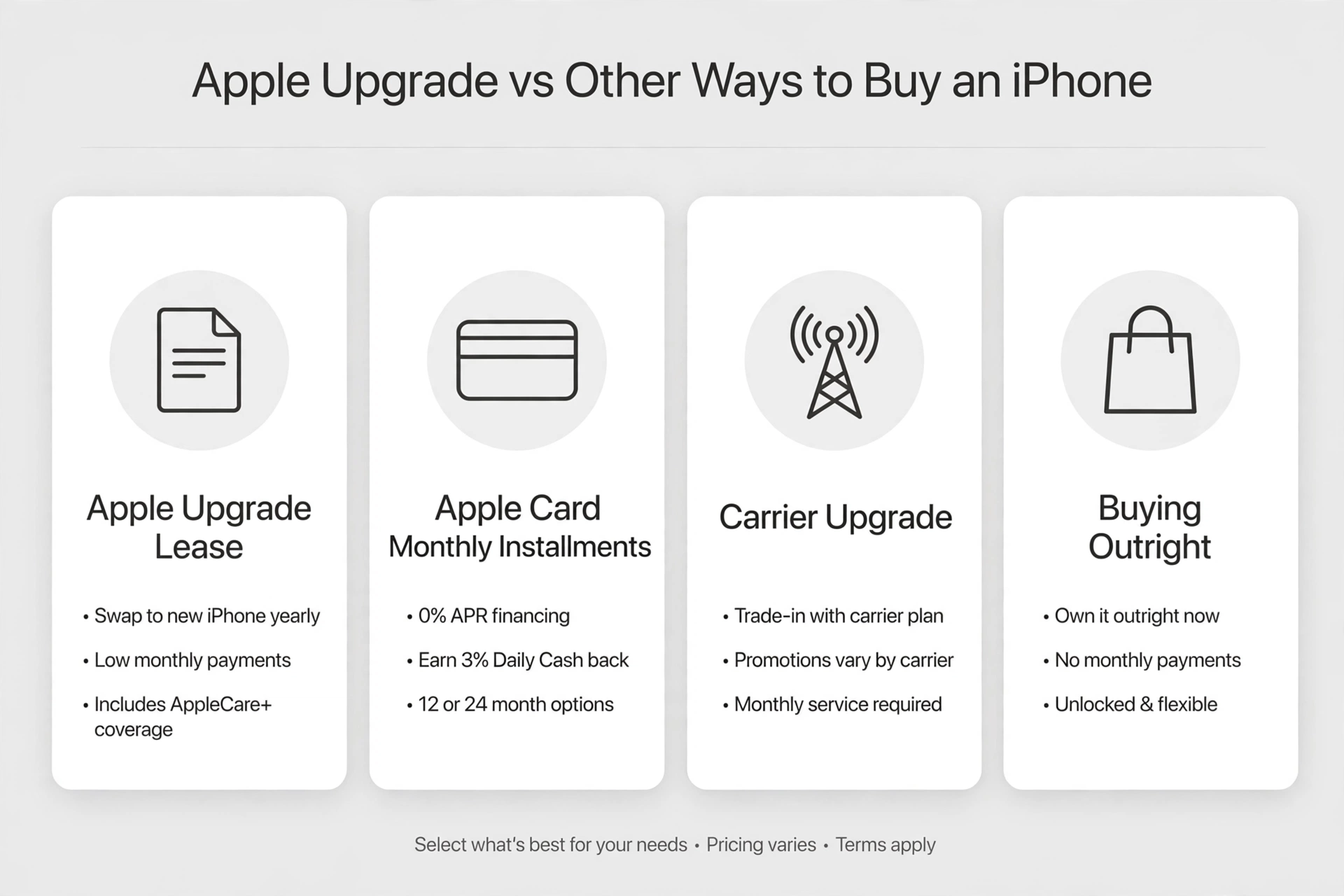
Monthly Installments is Apple’s simpler 0% APR option over 24 months. AppleCare+ is optional, you get 3% Daily Cash back if you use Apple Card, and the phone is also unlocked. What you don’t get is a built-in upgrade path. If you want the new iPhone after 12 months, you have to pay off the remaining balance yourself or handle a separate trade-in through Apple Trade In.
Pick Monthly Installments if you want the lowest possible monthly payment, you already use Apple Card, you don’t want AppleCare+, or you keep phones for two to three years. Pick the Upgrade Program if you know you’ll want the new iPhone every year and you want the hand-back process and protection included without having to sell the phone yourself.
vs. Carrier Upgrade Programs – AT&T Next, Verizon, T-Mobile
Carriers like AT&T, Verizon, and T-Mobile compete with aggressive bill credits. They often advertise a free or $800-off iPhone if you trade in and stay for 24 to 36 months. Those credits are real, but they’re conditional. If you leave or pay off early, you forfeit the remaining credits and owe the balance. Devices may also stay carrier-locked for 60 days.
Apple’s program offers the opposite trade. No conditional credits, but no lock-in either. The iPhone is unlocked from day one. You can move from Verizon to T-Mobile next month, or use a French or Japanese eSIM while traveling, without requesting an unlock. If you plan to stay with one carrier for three years and have a strong trade-in, carrier financing can be cheaper on paper. If you value total cost of ownership plus freedom to switch and upgrade yearly, Apple’s program is cleaner.
vs. Buying Outright
Paying full price upfront remains the cheapest long-term option if you keep your iPhone for three years. You pay once, own it, choose whether to add AppleCare+ monthly or skip it entirely, and you control resale timing.
The Upgrade Program costs more over two years because AppleCare+ is always included. You’re paying for 0% financing and for Apple to handle resale. For many people, avoiding a $1,000+ upfront charge and avoiding marketplace listings is worth that difference.
What Happens After 24 Months, If You Cancel, or Have Damage?
This is where buyers get anxious, and where most articles stop short.
If you don’t upgrade, nothing happens. You continue paying. After your 24th payment, the Citizens One installment loan agreement closes automatically. You own the iPhone. You can keep it, sell it, or trade it in later. AppleCare+ ends at 24 months unless you choose to continue it month-to-month, which Apple offers in most regions.
If you want to cancel early, you can pay off the remaining balance at any time with no prepayment penalty. You can’t simply return the phone outside the upgrade window and walk away without paying. The loan must be satisfied.
If your iPhone is damaged at upgrade time, the mandatory AppleCare+ is there for this exact reason. A cracked display or back glass means you’ll use your AppleCare+ benefit first, paying the standard service fee — $29 for screen or back glass damage, $99 for other accidental damage — to get it repaired, then return it. If your phone was lost or stolen, you’ll need to have chosen AppleCare+ with Theft and Loss. You’ll file a claim through the insurer, pay the deductible, and that process handles closing the original loan.
Two details that cause failed returns: Find My must be turned off before you return the device, and the phone must not have unauthorized third-party parts. A worn battery alone doesn’t disqualify you as long as the phone powers on.
Pros and Cons of the Apple iPhone Upgrade Program
The program excels at convenience. You get a truly unlocked iPhone, AppleCare+ included without a separate decision, a predictable upgrade after 12 payments, 0% APR, and no need to negotiate with private buyers.
The trade-offs are real. AppleCare+ being mandatory means your monthly payment is always higher than the base phone price carriers advertise. Each annual upgrade is a new installment loan, which means a new hard inquiry and a new account on your credit report. Family purchases mean multiple loans. And it’s US-only, so international buyers can’t enroll.
An experienced tip: set the monthly autopay to a credit card that offers cell phone protection. Since Citizens One charges that card every month, you can stack an extra layer of coverage at no additional cost.
Is the Apple iPhone Upgrade Program Worth It? Final Verdict
It depends entirely on your upgrade pattern.
It is worth it if you upgrade every 12 to 15 months, you would buy AppleCare+ anyway, and you want an unlocked phone with the freedom to switch carriers or travel internationally. It’s the most predictable way to always have the latest iPhone without managing resale.
It is not worth it if you keep your iPhone for two and a half to three years, never buy AppleCare+, or rely on deep carrier trade-in credits tied to a 36-month stay. In those cases, Apple Card Monthly Installments or buying outright will save you money.
If you want the cheapest way to own an iPhone for three years, buy outright. If you want a new iPhone every year with protection included and zero carrier lock-in, choose the Upgrade Program.
FAQs
What is the Apple iPhone Upgrade Program?
The Apple iPhone Upgrade Program is a 24-month, 0% APR installment loan from Citizens One, N.A. that bundles an unlocked iPhone and AppleCare+ into one monthly payment. After 12 payments, you can trade in your iPhone in good working condition and upgrade to the newest model.
How much does the iPhone Upgrade Program cost per month?
Your payment is the price of the iPhone plus AppleCare+, divided by 24. An iPhone 16 is around $40-$45/month, an iPhone 16 Pro is $55-$62/month, and a 16 Pro Max with Theft and Loss is $70-$85/month. Tax is due upfront and varies by state.
Is AppleCare+ mandatory for the iPhone Upgrade Program?
Yes. AppleCare+ is included and mandatory. You can choose between standard AppleCare+ or AppleCare+ with Theft and Loss, but you cannot opt out. This is because Apple expects the phone to be returned after 12 months.
What credit score do you need to get approved?
Apple and Citizens One don’t publish a minimum score. Most approvals are in the fair-to-good range, typically 650+, based on your overall credit profile. It’s a hard credit inquiry, and each new iPhone is a separate loan application.
Can I switch carriers while on the iPhone Upgrade Program?
Yes. The iPhone you receive is fully unlocked from day one. You can switch between AT&T, Verizon, and T-Mobile at any time, use a prepaid carrier, or use an international eSIM while traveling. Your Citizens One loan stays the same.
Read More: iPhone Ultra Rumored Specifications, Price & Release Date: Every Credible Leak So Far
