


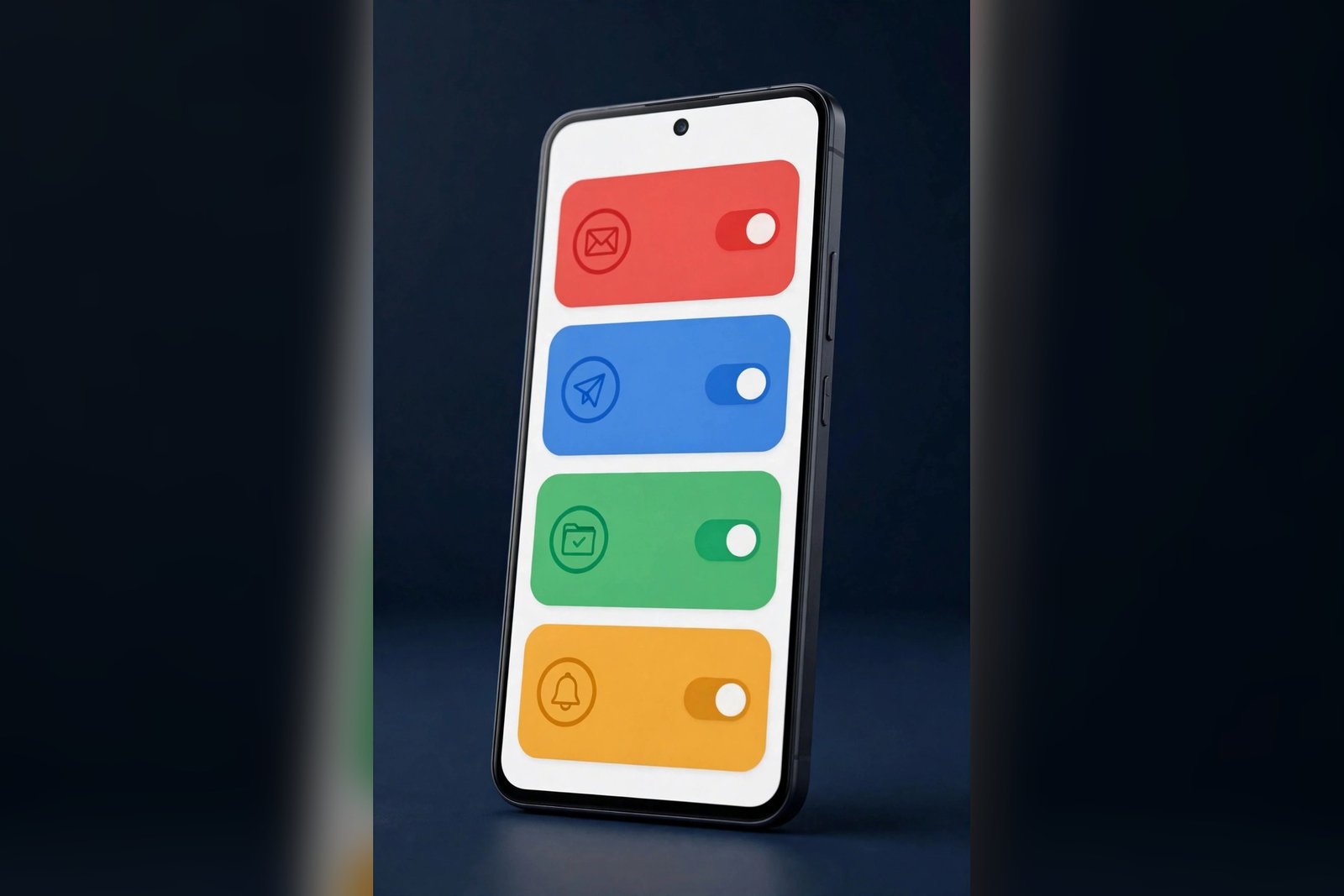
Gmail’s Material 3 Expressive settings redesign is starting to reach Android users, giving the app’s long-overlooked settings menu a colorful, modern overhaul. The redesigned settings replace the flat, crowded list of options with rounded cards, colorful icons, expressive switches and larger touch targets, and they group related options into clearly labelled sections. The change was spotted in Gmail version 2026.11.02.1020540846, but it is rolling out from Google’s servers, so updating the app alone will not necessarily unlock it — and how widely it has reached users so far is still unclear.
What is changing in Gmail’s settings
Gmail’s settings page has been one of the least-changed parts of the app. While Google has steadily refreshed the inbox and other parts of Gmail, the settings menu kept the same dense, flat list of options for years. That is now changing. According to Android Authority, which reported the rollout on November 13, 2026, the redesigned settings are reaching users with the full Material 3 Expressive styling that arrived with Android 16.
The most visible change is the layout. Instead of scrolling through a seemingly endless collection of options, users get neatly organized sections for notifications, inbox customization, email preferences, writing assistance and more. Each section is presented as a card with rounded corners, and the icons that identify each setting are now colorful rather than plain. Switches have been redrawn in the expressive style, and the spacing between options is more generous, which should make the page easier to scan and tap.
The redesign is not only visual. Google has also reorganized where individual settings live. Settings for Smart Compose, Smart Reply and Proofread now sit together under a single “Writing assistance” section, so the tools that help you write emails are no longer scattered across different parts of the menu. Chat and Meet, Gmail’s built-in messaging and video calling features, now have their own dedicated sections too. The aim is straightforward: fewer places to look, and a clearer idea of where each option belongs.

The Material 3 Expressive look, explained
Material 3 Expressive is Google’s current design language for Android, introduced with Android 16. It builds on the Material You system that arrived with Android 12, but it pushes further toward personality and playfulness: bolder colors, larger and springier controls, more rounded shapes and more generous spacing. The idea is that an interface should feel lively and easy to read at a glance, rather than flat and uniform.
In Gmail’s settings, that language shows up in several specific ways. The rounded cards give each section a clear boundary, so the eye can separate one group of settings from the next. The colorful icons make it easier to identify a setting without reading its label first. The expressive switches are bigger and easier to tap, and the larger touch targets and wider spacing throughout the page reduce the chance of tapping the wrong option on a small screen. None of this changes what Gmail does — the settings themselves are the same — but it changes how quickly you can find and change them.
Google has been applying this design language across its apps for months. The Gmail settings redesign is the latest step in that push, and it follows the same pattern seen in other Google apps: the underlying features stay the same, while the presentation becomes bolder, rounder and more colorful. For users on phones running Android 16, the new settings should feel consistent with the rest of the system. On older Android versions, the reorganized layout may still appear, but the full system-level expressive styling is tied to Android 16.
How the redesign was found
The redesigned settings did not arrive as a surprise. Android Authority first discovered that Google was preparing a major cleanup of Gmail’s cluttered settings menu back in October 2026. At the time, the publication was able to enable the new interface manually on a device running Android 15, which revealed the reorganized sections — but the manual enable did not show the full visual makeover, because the system-level Material 3 Expressive styling introduced with Android 16 was not present on that device.
The full picture only emerged this week, when screenshots shared by Telegram user Neacared in AssembleDebug’s channel showed the redesign running on Gmail version 2026.11.02.1020540846.Release, complete with the colorful cards, expressive switches and icons. Android Authority reported the rollout on November 13, 2026, and Android Headlines corroborated the same details later the same day. The screenshots confirm that the reorganization Android Authority found in October is the same one now rolling out, this time with the finished Material 3 Expressive styling on top.
This pattern — a feature spotted in development, then enabled early by researchers, then rolled out gradually — is common for Google app updates. It also means the details in this article come from the app itself rather than from a Google announcement. Google has not published a blog post or changelog entry about the Gmail settings redesign, so there is no official word yet on when the rollout will reach everyone.
Part of a bigger redesign across Google’s apps
Gmail is not the only Google app getting this treatment. Android Authority notes that it has previously uncovered similar settings redesigns for the Google app, for Gemini and for Google Messages. In each case, the same approach applies: the settings are reorganized into clearer sections and restyled with the Material 3 Expressive look, while the features themselves stay the same.
The pattern suggests a deliberate, company-wide effort to make Google’s apps feel more consistent with Android’s modern design language and simpler to navigate. The settings menu is an obvious place to start, because it is where users go when they want to change how an app behaves — and in Gmail’s case, it had become one of the most cluttered menus in the app. A cleaner settings page also benefits the newer features Google keeps adding to Gmail, such as the writing assistance tools, because it gives them a clearer home instead of burying them in a long list.
The same design language has also been spreading beyond settings. Google has been refreshing app icons, including the Phone, Messages and Contacts icons, with a three-dimensional Material 3 Expressive look, and it has applied expressive styling to the inbox and other parts of Gmail. The settings redesign is therefore less a one-off change and more the next piece of a larger refresh that is gradually reaching every corner of Google’s Android apps.
Availability: how to check if you have it
The redesigned Gmail settings are rolling out through a server-side update. That matters, because it means installing the latest version of Gmail from the Play Store will not necessarily unlock the new look. The screenshots showing the redesign were captured on Gmail version 2026.11.02.1020540846.Release, so having that version — or a newer one — is a starting point, but Google still controls who sees the new interface from its servers.
To check whether you have it, open Gmail on your Android phone, tap your profile picture or the menu icon, go to Settings, and look at the layout. If the settings page shows rounded cards, colorful icons and clearly separated sections, you have the redesign. If it still shows the old flat list, you are still waiting — and there is no switch or toggle you can flip to force it. Google rolls these changes out in stages, and Android Authority says it has not yet established how widely the new interface is available, so some users may wait days or weeks.
There is no confirmed date for the full rollout, and Google has not said whether the redesign will reach every Android version or only newer ones. The full expressive styling is tied to Android 16, so users on older versions may see the reorganized layout without every visual flourish. The redesign has only been reported on Android so far, and there is no word on whether a similar settings refresh is planned for Gmail on iOS.
What has not changed
It is worth being clear about what this update does not do. The redesign changes the look and organization of Gmail’s settings, not the settings themselves. Smart Compose, Smart Reply and Proofread still work the same way; they are simply grouped together now. Notifications, inbox customization and email preferences are the same options in a tidier layout. No new Gmail feature has been announced alongside the redesign, and the inbox, compose screen and other parts of the app are not part of this particular change.
That is also why the update is easy to miss. If you rarely open Gmail’s settings, you may not notice anything different for a while. But for anyone who does dig into the settings — to change notification sounds, switch inbox types, or adjust writing assistance — the new layout should make the job quicker. The larger touch targets and clearer sections are small improvements on their own, but together they make a page that many users found cluttered noticeably easier to use.
Why this update matters
Settings pages rarely make headlines, but they shape how people actually use an app. Gmail’s settings control notifications, inbox behavior, smart features and more, yet the old layout made them hard to find. A redesign that groups related options and gives each section a clear visual identity lowers the barrier to changing them, which means more users are likely to discover features such as writing assistance that were previously buried.
The update also signals where Google’s design work is heading. Material 3 Expressive is now the default look across Android, and Google is working through its own apps to match it. Gmail, as one of the most widely used apps on Android, was always going to be part of that effort. The settings redesign is a visible sign that the work is continuing — and that the next pieces of Gmail’s interface may follow the same path.
For now, the rollout is the story. The redesign exists, it is reaching users, and it is easy to recognize once it arrives. If your Gmail settings still look the same, the new design is likely on its way — Google’s server-side rollouts rarely stay limited for long.
Also on TechInKey: Google’s Calculator app gets a similar style of update on Pixel phones, Google is also changing how Quick Share handles photos on Windows, and Gemini, one of the Google apps getting a similar settings redesign, has a new Skills feature.
FAQs
What is the Gmail Material 3 Expressive settings redesign?
It is a visual and organizational overhaul of Gmail’s settings page on Android. The redesign uses Google’s Material 3 Expressive design language, with rounded cards, colorful icons, expressive switches, larger touch targets and more generous spacing, and it groups related settings into clearly labelled sections.
When is the new Gmail settings design rolling out?
The redesign started reaching Android users in November 2026 and was first reported on November 13, 2026. It is rolling out in stages through a server-side update, so there is no fixed date for when every user will see it.
Which Gmail version has the new settings design?
The redesigned settings were spotted in Gmail version 2026.11.02.1020540846.Release. Having that version or a newer one is a starting point, but the redesign is switched on from Google’s servers, so updating the app alone does not guarantee you will see it.
What changed in Gmail’s settings layout?
Settings are now grouped into sections for notifications, inbox customization, email preferences, writing assistance and more. Smart Compose, Smart Reply and Proofread now sit together under “Writing assistance”, while Chat and Meet have their own dedicated sections.
Does the redesign add any new Gmail features?
No. The redesign changes the look and organization of the settings page, not the settings themselves. Smart Compose, Smart Reply, Proofread, notifications and inbox options all work the same way — they are simply easier to find now.
Sources: Android Authority, “Gmail Material 3 Expressive settings redesign starts rolling out”, November 13, 2026; Android Headlines, “Gmail’s Settings Page Is Getting a Colorful Material 3 Expressive Makeover”, November 13, 2026.
