



Apple has added on-screen sign language interpretation to the Apple TV app, and it goes live today, Friday 13 November 2026, with the global streaming premiere of the Apple Original film Being Heumann. Deaf and hard-of-hearing viewers can now watch supported Apple Original films and shows with a sign language interpreter on screen.
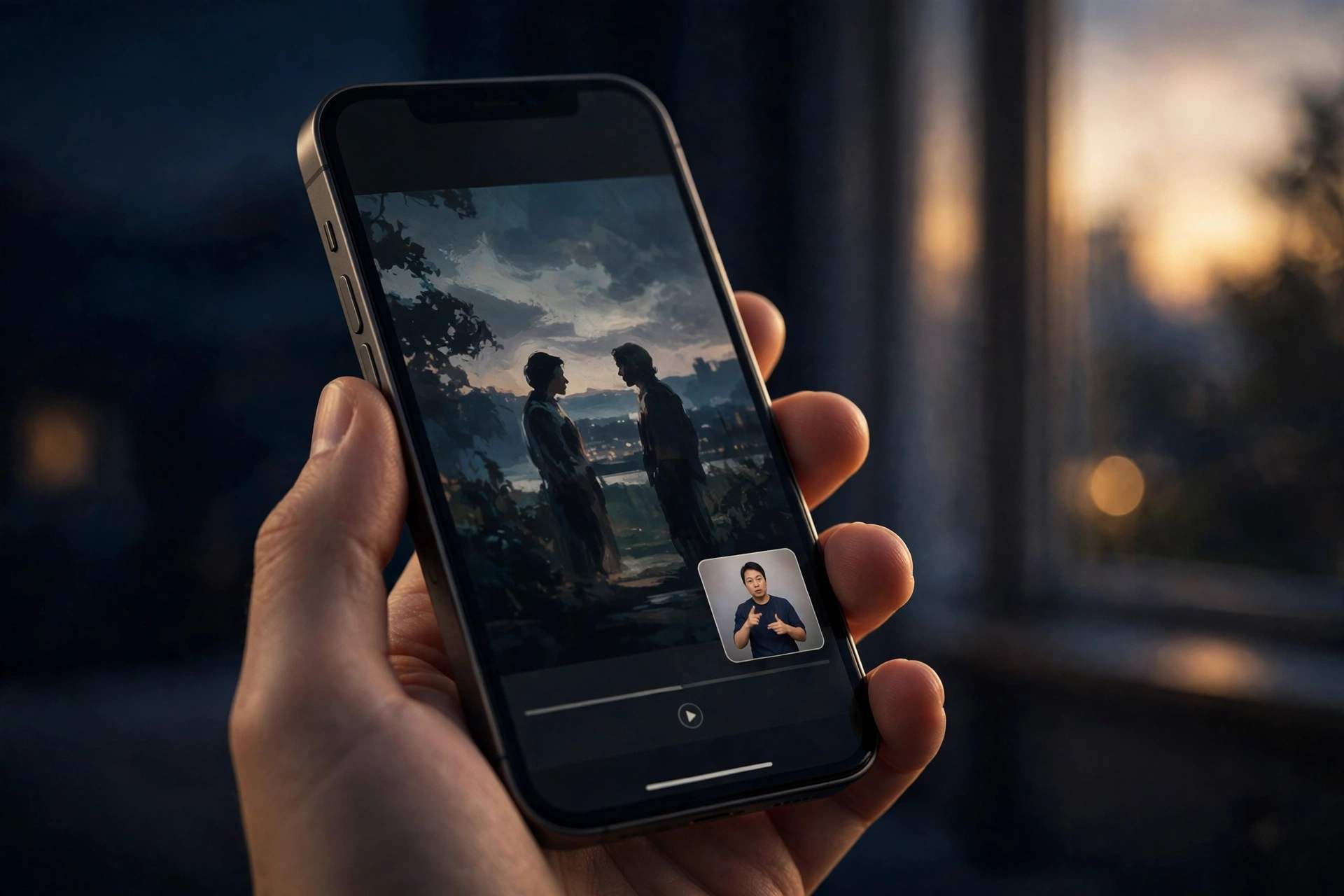
The feature is a meaningful step for accessibility. Instead of relying on subtitles alone, viewers can now watch the story in American Sign Language (ASL) or British Sign Language (BSL), with the interpreter appearing in a corner of the frame. Apple says the feature was developed and tested in collaboration with Deaf and native signers, so the interpretation is shaped by the people who actually use it. Actor Daniel Durant, who appears in Being Heumann, directed that film’s sign language interpretation.
Here is everything you need to know: which titles support it, what your device needs, and exactly how to switch it on.
What Is Sign Language Interpretation in the Apple TV App?
Sign language interpretation is a new accessibility option inside the Apple TV app. When you watch a supported Apple Original title, you can turn on an on-screen interpreter who signs the dialogue and key audio in real time. The interpreter appears in a small inset in the corner of the frame.
Two languages are supported at launch: American Sign Language (ASL) and British Sign Language (BSL).
The feature is rolling out alongside the premiere of Being Heumann, a fitting launch title. The film tells the story of disability-rights activist Judy Heumann and the landmark 1977 sit-in in San Francisco, directed by Academy Award winner Siân Heder (CODA) and starring Ruth Madeley.
Which Titles Support Sign Language at Launch?
The launch line-up is short, but Apple says more Apple Original titles will follow:
- Being Heumann — available from 13 November 2026, with sign language interpretation from day one.
- F1 — available at launch with both ASL and BSL interpretation.
- Way of the Warrior Kid — coming later this year.
- Greyhound — coming later this year.
Only Apple Original titles are supported for now. That means the feature does not work on every film or show in the Apple TV app — licensed movies, third-party content, and titles from other studios will not show the sign language option. Supported titles carry a Sign Language icon, so you can spot them before you press play.
What You Need to Use It
Before you can turn the feature on, your device needs to be running the latest software. Apple requires iOS 27.2, iPadOS 27.2, macOS 27.2, tvOS 27.2 or visionOS 27.2, or later. That covers iPhone, iPad, Mac, Apple TV and Apple Vision Pro. On a supported third-party device, use the latest version of the Apple TV app.
iOS 27.2 has been available since 27 October 2026, so many iPhone and iPad owners will already have it. If you have not updated yet, head to Settings, then General, then Software Update.
You also need an Apple TV subscription to watch these titles. Apple TV costs $14.99 per month, and new subscribers get a 7-day free trial. The sign language feature itself is free — there is no extra charge on top of the subscription.
How to Turn On Sign Language in the Apple TV App
Turning the feature on takes less than a minute, and you only need to set it up once:
- Open the Apple TV app on your iPhone, iPad, Mac, Apple TV or Vision Pro.
- Go to the Apple TV app settings.
- Turn on Sign Language. Once it is on, the Sign Language option will appear on supported Apple Original titles.
- Start a supported title, such as Being Heumann or F1.
- Tap the Sign Language button in the player controls while the title is playing.
- Pick your language — choose American Sign Language (ASL) or British Sign Language (BSL).
That is all there is to it. The interpreter will appear in the corner of the screen, and you can switch the language or turn the interpreter off from the same player controls at any time.
If you do not see the Sign Language button, first check that the title is a supported Apple Original, then confirm your device is running iOS 27.2 or later and that you have the latest version of the Apple TV app installed.
How to Find Supported Titles
Apple is making it easy to discover which titles work with the feature. Supported films and shows carry a Sign Language icon on their details page, so look for it before you start watching. You can also search the app with phrases such as “with ASL”, and Apple is adding a dedicated “Movies & Shows with American Sign Language” collection that will gather every supported title in one place.
Limitations to Know
The feature is genuinely useful, but it is worth knowing its limits. First, it only works on Apple Original titles. The Apple TV app also hosts licensed films and shows from other studios, and those do not support sign language interpretation yet.
Second, the launch catalogue is small. At launch, only Being Heumann and F1 are available, with Way of the Warrior Kid and Greyhound promised later this year. Apple says more titles will follow, but there is no published schedule for exactly which films and shows are next.
Third, you need an Apple TV subscription — without one (or a free trial) you cannot watch the supported titles at all. And finally, you need a device running the 27.2 software updates — older software versions will not show the option, even on otherwise compatible hardware.
Why It Matters
Streaming services have spent years improving subtitles and audio description, but sign language interpretation is a different kind of access. For many Deaf viewers, sign language is a first language, and watching a story signed by a fluent interpreter is a richer experience than reading subtitles. Putting the interpreter on screen keeps the performance and the picture together instead of forcing a choice between them.
Apple involving Deaf and native signers in developing and testing the feature matters too. Accessibility features work best when they are built with the people who rely on them, not just for them. Having Daniel Durant — an actor in Being Heumann — direct that film’s interpretation shows Apple is taking the craft seriously.
The launch list is small, and the feature is limited to Apple Originals for now, but this is the kind of addition that tends to grow. If Apple keeps adding titles, sign language interpretation could become a standard part of watching Apple TV, the same way subtitles and audio description already are. For now, update to 27.2, turn the setting on, and try it with Being Heumann.
Sources: Apple Newsroom (10 Nov 2026); 9to5Mac (13 Nov 2026); Mac Observer (11 Nov 2026).
Frequently Asked Questions
Q: What is the new sign language feature in the Apple TV app?
A: It is an accessibility option that adds an on-screen sign language interpreter to supported Apple Original films and shows. The interpreter appears in a corner of the frame and signs the dialogue in real time, so Deaf and hard-of-hearing viewers can follow the story in American Sign Language (ASL) or British Sign Language (BSL) instead of relying on subtitles alone. Apple developed and tested the feature in collaboration with Deaf and native signers.
Q: Which titles support sign language interpretation at launch?
A: At launch, Being Heumann and F1 support sign language interpretation, with F1 offering both ASL and BSL. Way of the Warrior Kid and Greyhound are coming later this year, and Apple says more Apple Original titles will follow. Only Apple Originals are supported for now — licensed films and shows from other studios do not have the option yet.
Q: Which devices and software do I need to use sign language on Apple TV?
A: You need a device running iOS 27.2, iPadOS 27.2, macOS 27.2, tvOS 27.2 or visionOS 27.2, or later — covering iPhone, iPad, Mac, Apple TV and Apple Vision Pro. On a supported third-party device, such as a smart TV or streaming stick, you need the latest version of the Apple TV app. iOS 27.2 was released on 27 October 2026, so many devices may already have it.
Q: How do I turn on sign language interpretation in the Apple TV app?
A: Open the Settings app, go to the TV pane, and enable the Sign Language display. Then open the Apple TV app, start a supported title, tap the Sign Language button in the player controls, and pick American Sign Language (ASL) or British Sign Language (BSL). You can switch languages or turn the interpreter off from the same player controls at any time.
Q: Does sign language interpretation work on non-Apple titles, and do I need a subscription?
A: No — the feature currently works only on Apple Original titles, not on licensed films and shows from other studios. And yes, you need an Apple TV subscription to watch the supported titles: Apple TV costs $14.99 per month, with a 7-day free trial for new subscribers. The sign language feature itself is free and included with the subscription.
Related: iOS 27.2’s new Siri privacy controls · Apple Support Community
